Internet Explorer Crashes or Cannot Play Online Video — Legacy Troubleshooting Archive
Historical troubleshooting for Internet Explorer video playback problems, updated to remove obsolete Flash, Silverlight, and Java installation advice.

Archive warning: Internet Explorer 11 desktop support ended for many Windows versions on June 15, 2022. Adobe Flash Player is retired, and the old Silverlight/Java browser-plugin model used by many sites in 2013 is obsolete. Do not install old browser plug-ins to make a current website work.
This article is retained to document how online-video problems were troubleshot during the Internet Explorer era.
For a legacy Internet Explorer environment
If you are maintaining an old system for compatibility testing, these were the safer diagnostic steps:
Try software rendering
In Internet Explorer:
- Open Internet Options.
- Select Advanced.
- Under accelerated graphics, enable Use software rendering instead of GPU rendering if the option is present.
- Restart Internet Explorer and test again.
If this helps, investigate the graphics driver rather than leaving a broken driver unaddressed.
Test without third-party add-ons
A crashing add-on can break media playback. Disable nonessential add-ons and test again. Do not install obsolete Flash, Silverlight, or Java browser plug-ins from archived download sites.
Update the graphics driver for the legacy machine
Use the PC or graphics-hardware manufacturer’s supported driver for that operating system. Avoid random driver-download sites.
For current web use
Use a supported browser such as Microsoft Edge. If an organization still has an application that depends on old Internet Explorer technology, Edge provides Internet Explorer mode for supported enterprise compatibility scenarios.
The original article’s recommendations to install Adobe Flash Player, Microsoft Silverlight, and Java have been removed because they are no longer appropriate or safe general web-video troubleshooting steps.
Official references
- Microsoft: Internet Explorer help / support ended: https://support.microsoft.com/products/internet-explorer
- Microsoft Windows lifecycle status: https://support.microsoft.com/en-us/windows/deployment/updates-lifecycle/what-does-it-mean-if-windows-isn-t-supported
Related posts
Browse all articles →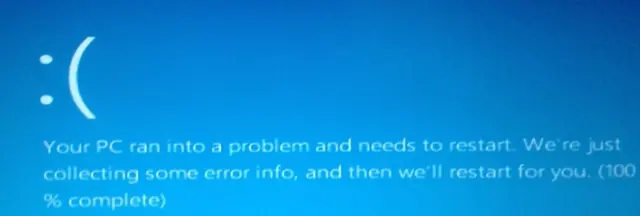
Fix DRIVER_POWER_STATE_FAILURE (0x9F) in Windows 8 or 7 (Historical)
Historical troubleshooting for DRIVER_POWER_STATE_FAILURE (0x9F) on Windows 8/7, focusing on the device, driver, firmware, or power transition responsible for the crash.
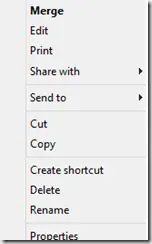
Fix a Missing 'Open With' Menu in Windows 7 or 8 (Historical)
Historical troubleshooting for a missing Open With context-menu entry in Windows 7/8, using file-association, system-repair, and policy checks without unknown registry patches.
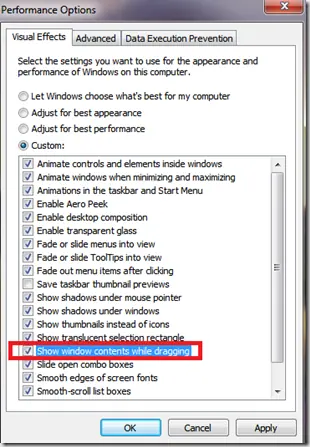
Fix Windows Turning Transparent While Dragging or Resizing (Windows XP–8, Historical)
Historical troubleshooting for Windows XP through Windows 8 when window contents disappear or appear transparent while dragging or resizing.