Tech & reviews
AirPrint, Mopria, and IPP Everywhere: Print Without Installing the Wrong Driver
Use AirPrint, Mopria and IPP driverless printing with compatible printers. Check network discovery, queues and isolation before installing extra drivers.
Loading search…
Use AirPrint, Mopria and IPP driverless printing with compatible printers. Check network discovery, queues and isolation before installing extra drivers.
Diagnose a security camera that is offline or missing recordings. Separate power, Wi-Fi, cloud outages and recording settings while preserving existing footage.
An SD card asking to be formatted may still contain recoverable photos. Stop writes, check the reader, recover to another drive and verify files before repair.
Reach your home NAS through a supported VPN or private network, with limited accounts and backups, without exposing SMB port 445 to the Internet.
Reconnect older printers and smart devices after a WPA3 router upgrade. Check Wi-Fi bands, authentication and IoT network isolation before changing security.
Remove photo location data before sharing, check iPhone and Google Photos controls, and verify both metadata and visible details in the outgoing copy.
Find what is using your Mac storage, understand System Data and Time Machine snapshots, and reclaim space without deleting important macOS or project files.
Set up Android Find Hub offline finding, understand location timestamps and sharing, and prepare secure account access before a phone or tracker goes missing.
Fix RCS messaging between iPhone and Android by checking carrier support, activation, data connectivity, group participants and SMS/MMS fallback.
Microsoft now lists October 12, 2027 as the consumer ESU deadline. Check enrollment, back up your files, and plan a supported Windows 11 upgrade or alternative.
Android began developer-verification enforcement in selected countries on September 30, 2026. Understand who is affected and how legitimate app distribution changes.
AI browsers can read pages, use signed-in sessions, fill forms, and complete web tasks. Learn what prompt injection is, why agentic browsing changes the risk, and how to use browser agents more safely.
Android 17 Motion Assist adds moving visual cues to help reduce motion sickness while using your phone in a car. Here is how to enable it, add the Quick Settings tile, and troubleshoot a missing option.
Siri AI is rolling out in beta with iOS 27. Learn which iPhones support it, how to enable it, what personal-context and onscreen features can do, and why the option may not appear.
Android can now move passwords and passkeys directly between supported password managers without exporting an unencrypted CSV file. Here is how to switch safely and verify the migration.
Claude Artifacts can turn a conversation into a reusable document, dashboard, design, small app, or interactive tool that you can edit and share.
Diagnose slow Internet by separating ISP speed, modem/router, mesh backhaul, Wi-Fi signal, Ethernet, and one-device problems before changing DNS or buying new hardware.
Enable Hyper-V in Windows 11 Pro, Enterprise, or Education, verify hardware virtualization, and create your first virtual machine without third-party software.
Point-in-Time Restore can roll Windows 11 back to a recent full-system snapshot, including apps, settings, and personal files.
Apple redesigned Screen Time and added Ask to Browse and Time Allowances. Learn how to set useful limits without breaking school or family access.
Running low on disk space in Windows 11? Use Storage settings, Cleanup recommendations, temporary files, and OneDrive Files On-Demand without deleting the wrong things.
Learn whether a scary Chrome virus warning is a website notification, pop-up, malicious page, extension, or actual malware—and fix the right problem without calling scammers.
Windows 11 update stuck at 0%, 100%, or failing to install? Work through these safe troubleshooting steps before resetting update components.
Thunderbolt 5 and USB4 can both use USB-C, but the connector alone tells you almost nothing. Here is what 80Gbps, 120Gbps, displays, PCIe, and charging really mean.
Google Drive for desktop can stream or mirror My Drive. Learn how each mode uses disk space, handles offline files, affects performance, and what to check before switching.
Install WSL 2 in Windows 11 with one command, choose a Linux distribution, update WSL, and understand where to store Linux project files for best performance.
Learn how to check your Windows 11 version and build number, then confirm whether your release is still supported by Microsoft.
Check SSD health, temperature, wear, and reliability data in Windows 11 using built-in storage information and PowerShell before installing third-party tools.
Understand how passkeys work across Google Password Manager, Android, Chrome, Apple devices, Windows, and third-party managers—and how to plan recovery before losing a device.
Bluetooth headphones connected but silent in Windows 11? Check the output device, volume, audio format, services, and Bluetooth audio driver.
Wi-Fi 7 promises multi-gigabit speeds and lower latency, but you need the right router, client hardware, Windows version, and Internet connection to benefit.
Scammers are replacing real QR codes with lookalikes on parking meters and messages. Learn what to inspect before paying or signing in.
Fix mesh Wi-Fi dead zones by improving node-to-node signal, placement, wired backhaul, router position, and device connections instead of simply adding more satellites.
Send files, photos, and links between nearby Windows PCs using Bluetooth or Wi-Fi. Learn how to configure visibility, faster Wi-Fi transfers, and received-file locations.
Some PCs still use older Secure Boot certificates. Learn how to check the 2023 certificate status and what to do if Windows reports an incomplete update.
Chrome removed remaining Manifest V2 extensions from the Web Store. Learn why old add-ons stopped working and how to choose safe replacements.
Windows 11 using most of your RAM? Learn how to identify memory-heavy apps, understand cached memory, find leaks, and decide whether more RAM is actually needed.
Protect photos, documents, PCs, phones, and cloud files with a realistic 3-2-1 backup plan that survives accidental deletion, ransomware, hardware failure, and account loss.
Network Reset can repair stubborn connection problems in Windows 11, but it also removes adapter settings. Prepare first if you use VPNs or virtual adapters.
Use Deep Research in ChatGPT when a question needs multiple sources, deeper analysis, and a documented answer you can verify.
Troubleshoot Matter and Thread devices by checking the commissioning phone, Bluetooth, Matter hub, Thread border router, Wi-Fi isolation, firmware, multi-admin sharing, and factory-reset state.
Share folders between Windows 11 PCs over your home or office LAN using modern file sharing, network discovery, user permissions, and mapped network drives.
Improve gaming performance in Windows 11 using Game Mode, Graphics settings, windowed-game optimizations, drivers, and display settings instead of risky registry tweaks.
Windows 11 26H1 is not a normal feature update. Here is how it differs from 25H2 and what existing Windows 11 users should do.
Move an eSIM to a new Android phone during setup or later, understand carrier requirements, and troubleshoot activation without deleting the working line too early.
Reset the Windows Update cache in Windows 11 by renaming SoftwareDistribution and catroot2 without using outdated aggressive repair scripts.
Windows on Arm has improved dramatically with Prism emulation and more native apps. Here is what works well now and what still deserves a compatibility check before buying.
Use Google Photos Free up space safely on Android by confirming backup first and understanding the difference between Delete, Delete from device, and cloud copies.
File Explorer freezing or refusing to open in Windows 11? Restart Explorer, update Windows, isolate shell extensions, repair system files, and use Windows repair before resetting the PC.
Configure Storage Sense in Windows 11 to clean temporary files automatically while keeping Downloads and important OneDrive files under your control.
iCloud Photos is a synchronized photo library, not an external hard drive. Learn how Optimize iPhone Storage works and why deleting photos deletes them from iCloud too.
Check Quick Machine Recovery requirements, prepare a supported connection, and interpret no-fix, network-error and repeated-recovery outcomes before choosing another tool.
Fix Bluetooth pairing and connection problems in Windows 11 by checking pairing mode, battery, saved devices, Windows updates, and the Bluetooth driver.
Copilot Vision can look at a Windows app or screen you choose to share and give spoken, step-by-step guidance without controlling the PC for you.
Missing iCloud photos or devices out of sync? Check Apple Account, sync status, storage, Shared Library, Recently Deleted, network, and iCloud for Windows before resetting anything.
Create a bootable Windows 11 Recovery Drive on USB so you can access recovery tools and reinstall Windows if the PC cannot start.
Task Manager showing 100% disk usage in Windows 11? Identify the process causing it before disabling services, changing registry values, or replacing the drive.
Google Drive for desktop stuck syncing, offline, or showing errors? Diagnose storage, network, account, file, stream, and mirror problems without deleting unsynced work.
Use the built-in Windows Update recovery option to reinstall your current Windows 11 version while keeping apps, files, and settings.
If the Wi-Fi toggle disappears from Windows 11, check the hardware switch, adapter state, WLAN service, driver, and network reset in a safe order.
Qi2 25W brings faster magnetic wireless charging to more devices, but phone support, certification, power adapters, and thermal limits still determine real charging speed.
Fix Time Machine backups that fail, stay on Preparing, report a full or read-only disk, disconnect from a network destination, or run far slower than expected.
Fix a Windows 11 app without immediately reinstalling it. Learn the difference between Repair and Reset, when app data is removed, and what to do for traditional desktop programs.
Windows 11 CPU usage stuck near 100%? Use Task Manager, updates, process identification, malware scanning, and clean boot testing before changing services.
If a Mac can open files on an external SSD but cannot save to it, check whether the drive is NTFS and choose the right format for Mac-only or cross-platform use.
No speakers or headphones listed in Windows 11? Check the selected output, Device Manager, audio driver, enhancements, and Windows audio troubleshooting.
Stuck at the BitLocker recovery screen? Learn where to find the 48-digit recovery key and what to do if you cannot locate it.
ChatGPT Projects keep related chats, files, instructions, and sources together so ongoing work does not have to restart from zero every time.
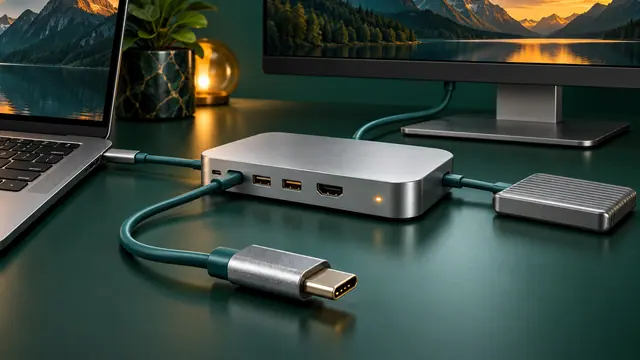
Troubleshoot USB-C docks by separating power, data, display, cable, host-port, firmware, and driver problems instead of assuming every USB-C port has the same capabilities.
Turn on Windows 11 Clipboard History, pin frequently used text, clear sensitive entries, and sync clipboard text across devices when appropriate.
Dynamic Refresh Rate can lower refresh rate during lighter work and increase it when supported workloads need smoother motion, helping balance battery life and responsiveness.
Troubleshoot a blank Mac external display, limited resolution, low refresh rate, dock problems, closed-lid issues, and model-specific display limits.
Windows 11 waking by itself, refusing to sleep, or draining battery overnight? Use powercfg and SleepStudy to identify the real cause before changing settings.
Windows 11 can store passkeys and use Windows Hello for passwordless sign-in. Learn how to create, use, manage, and remove them.
Matter 1.6 focuses on easier setup and better multi-ecosystem smart homes. Here is what has changed, what Matter now supports, and what still depends on manufacturers.
Understand USB Power Delivery, charger wattage, cable ratings, multi-port power sharing, dock passthrough, battery limits, and why a USB-C plug alone does not guarantee laptop charging.
Printer offline, not found, stuck in queue, or refusing to print? Use the Windows 11 printer troubleshooter and work through connection, spooler, driver, and reinstall steps safely.
Generate a Windows 11 battery report with powercfg and compare design capacity, full charge capacity, usage history, and estimated battery life.
Understand HDMI 2.2 bandwidth, Ultra96 cable certification, monitor limits, and which cable actually makes sense for your setup.
Fix Quick Share between Android and Windows when devices cannot see each other, notifications do not appear, or transfers are slow or fail.
Windows 11 connected to Wi-Fi but says No Internet? Check the router, IP configuration, DNS, adapter driver, and network stack in the right order.
Extend laptop battery life in Windows 11 using Energy Saver, Energy Recommendations, power mode, display settings, and refresh-rate controls.
Create a reusable Gem in Google Gemini so repeated tasks follow the same role, rules, context, and output style without rewriting the prompt every time.
Before switching Android phones, learn what Google backup includes, what depends on app developers, how Photos and messages differ, and how to verify data before wiping the old phone.
Use File History in Windows 11 to keep versioned copies of Documents, Pictures, Desktop, and other library files on an external drive or network location.
Speed up Windows 11 startup by identifying high-impact startup apps, removing unnecessary launch tasks, checking updates, and measuring before making changes.
Prepare for a lost or broken phone by setting up backup codes, alternate factors, recovery contacts, spare security keys, and safe recovery paths before you need them.
Windows 11 installs recommended drivers automatically, but some newer or alternative drivers appear under Optional updates. Here is when to use them.
Back up selected folders and Windows preferences, verify that important files are retrievable, and understand what still needs a separate copy before resetting or replacing a PC.
Auracast makes one Bluetooth audio broadcast available to multiple compatible listeners. Learn which devices and roles are required and why setup can fail.
Learn which memory cards actually work with Nintendo Switch 2, where save data lives, and how to avoid losing games during storage upgrades.
Check your Chromebook Auto Update Expiration date, understand extended updates and Android app trade-offs, and plan a safe migration.
Find what is filling your Google Account and recover Gmail storage without deleting mail, Drive files, or photos you still need.
Unlock the power of Google Gemini—supercharge your daily productivity, learning, and creative projects with the world’s most advanced AI from Google.
As artificial intelligence (AI) transitions from a peripheral feature to the nucleus of modern software, AI‑native applications are emerging. These applications are built around AI…
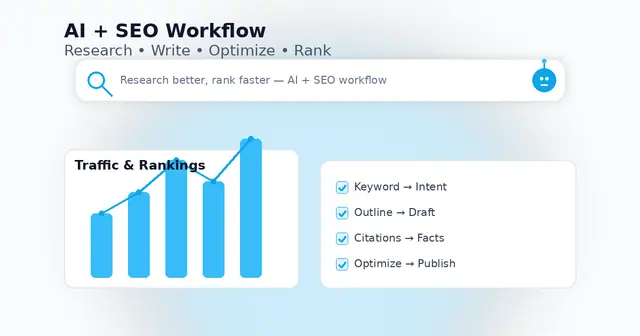
Use AI the right way—research faster, write better, and publish content that actually ranks.
Transform scattered notes, docs, and insights into a living, searchable AI wiki—without code. Here’s how to build your own AI-powered knowledge base in 2025.
Discover the best AI tools, smart integrations, and real-world workflows to work faster, automate more, and stay ahead this year.
Discover practical AI-powered hacks to save time, get organized, and achieve more—at work and at home.
Move over traditional search. Perplexity AI is changing how we find, summarize, and act on information — instantly.
Mastering ChatGPT isn’t about asking questions — it’s about asking the right questions. Here’s how to get smarter results every time.
Explore the future of productivity, creativity, and coding with these must-know AI tools.
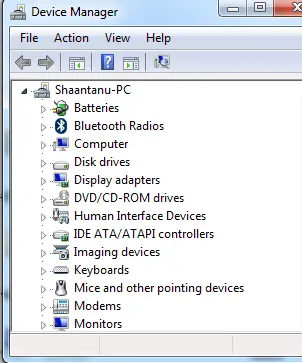
There can be several reasons your system has stopped producing sound. Here are a few common checkpoints:
Use Focus in Windows 11 to reduce distractions, start timed focus sessions, and connect the Clock app with Spotify and Microsoft To Do.
Learn when Windows 11 can activate through a digital license without asking you to type a 25-character product key, and when a new license is still required.
Check Windows 11 compatibility with Microsoft PC Health Check and verify the key requirements, including TPM 2.0, UEFI, Secure Boot capability, RAM, storage, and CPU support.
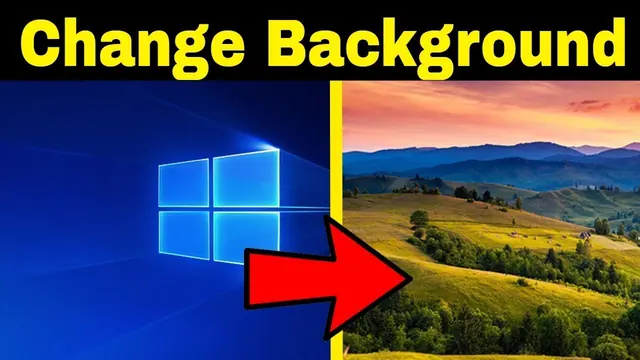
Change your Windows desktop background to a picture, solid color, slideshow, or supported Windows Spotlight background, and adjust how images fit the screen.
Use Active Hours, restart scheduling, and pause controls in Windows 10 to reduce interruptions from Windows Update. Includes current end-of-support guidance.
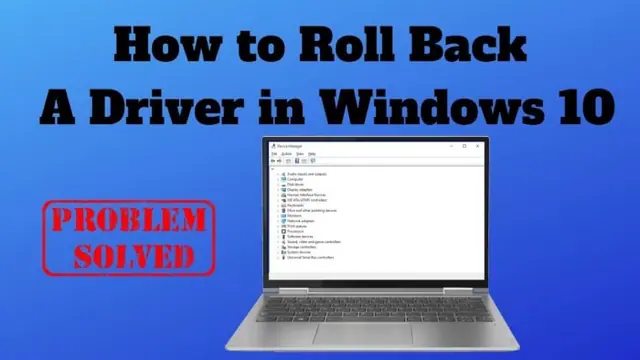
Roll back a recently updated Windows driver through Device Manager, and learn what to do when the Roll Back Driver button is unavailable.
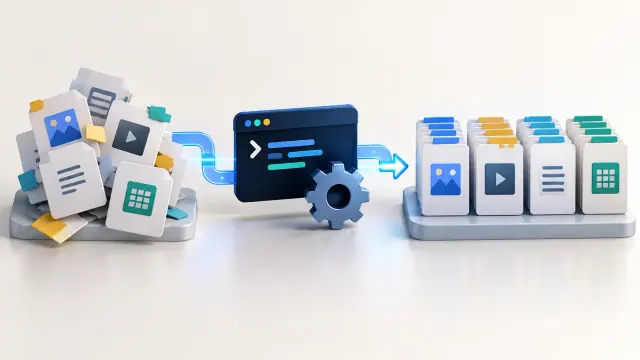
Use Microsoft PowerToys PowerRename or PowerShell to preview and apply advanced bulk file-renaming rules in Windows 10 and 11.
Troubleshoot Wi-Fi problems in Windows 10 and 11 with Microsoft's recommended sequence, from basic checks and reconnection to network commands, driver repair, and network reset.
Understand the Windows 11 TPM 2.0 requirement, what an unsupported installation means, and what to check before attempting any hardware-requirement workaround.
Allow a trusted app through Windows Firewall in Windows 10 or 11, understand private and public network profiles, and avoid opening unnecessary ports.
Control which supported Windows 10 apps can run in the background, reduce unnecessary activity, and understand which desktop apps are not affected by the Background apps privacy setting.
Install Windows Subsystem for Linux (WSL) on Windows 10 or 11, choose a Linux distribution, update WSL, and access Windows files from Linux.
Prepare a Windows PC for a Windows-and-Linux dual boot, protect your data, handle BitLocker correctly, and use the Linux installer’s supported alongside-Windows option when available.
Create a separate standard local account in Windows 11 for temporary users without enabling the built-in Guest account, which Microsoft recommends leaving disabled.
Quickly rename a group of files in Windows 10 or 11 with File Explorer, plus learn when Microsoft PowerRename is a better choice.
Use Windows 11 Settings or Task Manager to stop nonessential apps from launching when you sign in and identify high-impact startup items.
Check Windows activation status and activate Windows 10 or 11 with a digital license or valid product key. Includes current Windows 10 support context.
Create AI-generated images on a Windows 10 PC with Microsoft Designer in a web browser, write better prompts, and save the results without relying on Windows 11-only Paint features.
Find startup programs that do not appear in the normal Windows 11 Startup list by checking Startup folders and, for advanced troubleshooting, Microsoft Sysinternals Autoruns.
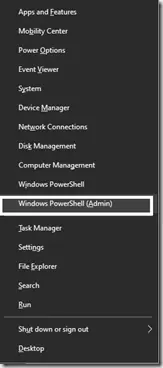
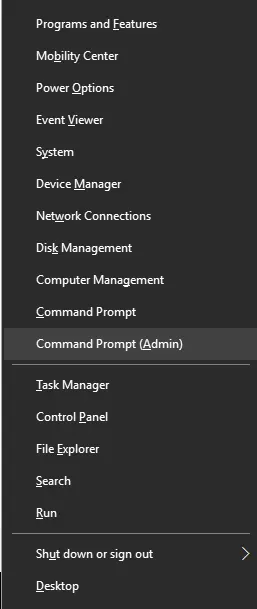
Historical Windows 10 instructions for switching the Win+X menu from Windows PowerShell to Command Prompt. This setting does not describe the current Windows 11 menu.
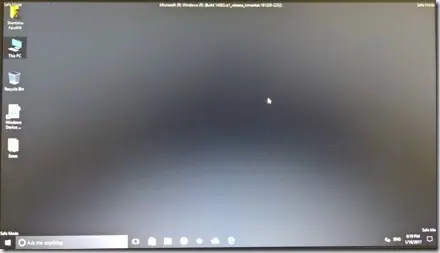
Step-by-step Windows 10 Safe Mode instructions using Windows Recovery Environment, including Safe Mode with Networking and recovery-media options.
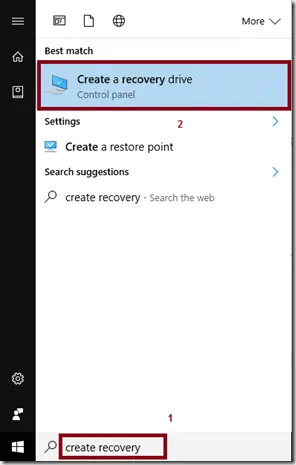
Create a Windows 10 recovery drive on an empty USB device and understand what the recovery drive does and does not back up.
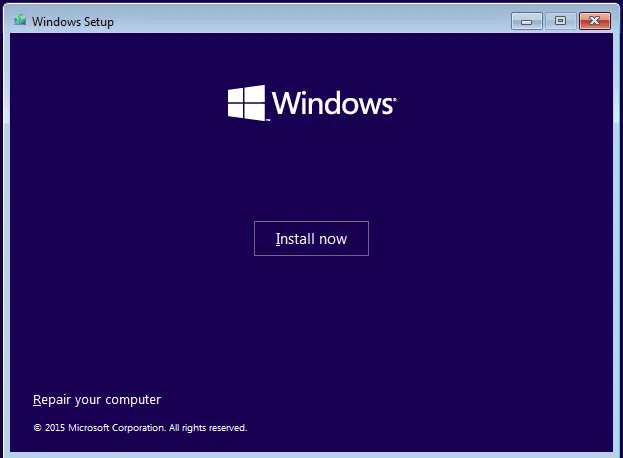
Troubleshoot Windows 10 when Advanced startup or Windows Recovery Environment will not open, using supported WinRE checks and recovery media.
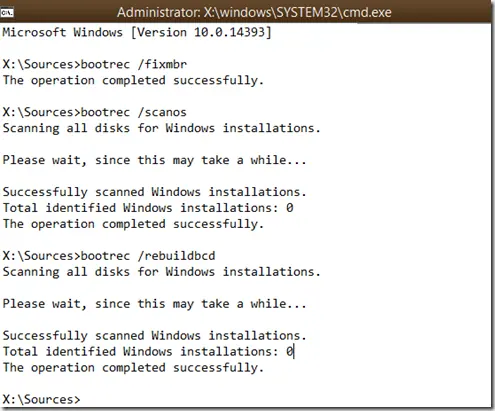
Troubleshoot boot error 0xc0000225 with Startup Repair first, then repair Boot Configuration Data only when needed.
Troubleshoot the DRIVER_PORTION_MUST_BE_NONPAGED (0xD3) stop error in Windows 10 by isolating drivers and recent hardware changes.
Use Windows Recovery Environment to repair the 'Your PC did not start correctly' loop in Windows 10 without jumping straight to destructive reset steps.
Use the Configure Automatic Updates policy in supported Windows 10 editions to notify before downloading updates instead of silently downloading them.
Back up a Windows 10 registry key or export the registry before making advanced changes, and learn how to restore the saved .reg file.
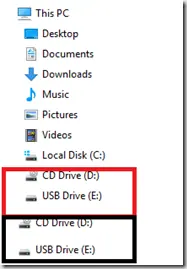
Historical Windows 10 registry workaround for the old File Explorer issue that displayed removable drives twice in the navigation pane.
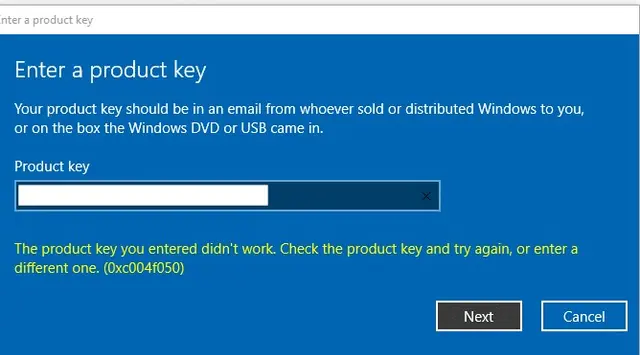
Troubleshoot Windows 10 activation error 0xC004F050 by checking the edition, product key, digital license, and Activation troubleshooter.
Create an external, internal, or private Hyper-V virtual switch in Windows 10 and attach virtual machines to the network you need.
Troubleshoot WordPress media upload HTTP errors by checking server limits, Site Health, logs, and WordPress memory settings instead of assuming one cause.
Repair Boot Configuration Data from Windows Recovery Environment, using Startup Repair first and Bootrec or BCDBoot only when needed.
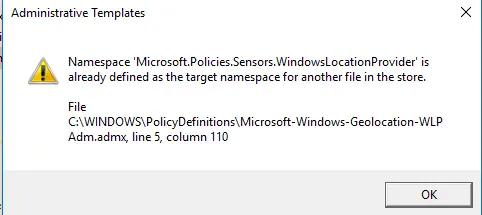
Historical fix for the Microsoft.Policies.Sensors.WindowsLocationProvider duplicate namespace error seen when early Windows 10 builds opened Group Policy Editor.
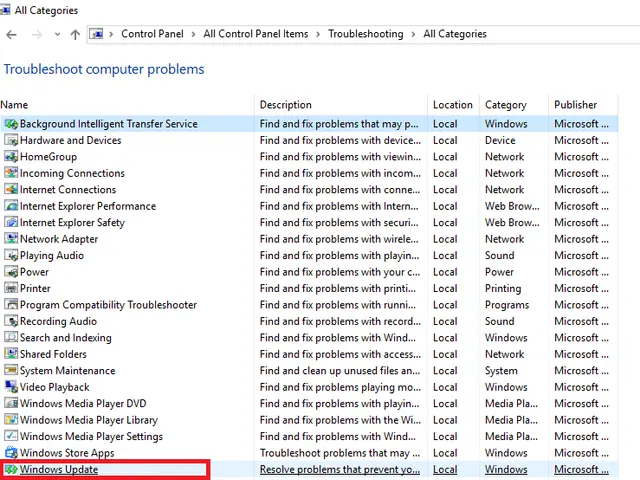
Run the Windows 10 Update troubleshooter through Get Help or Settings, interpret its findings, and verify whether the failing update actually installs.
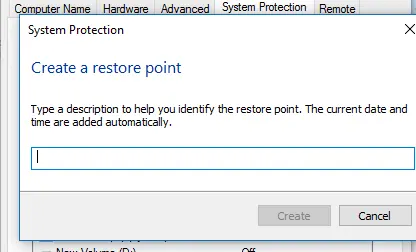
Create and verify a Windows 10 restore point, review affected programs before rollback, and recover safely when Windows cannot start.
Historical archive of Microsoft Build 2016, held in San Francisco from March 30 to April 1, with official Microsoft keynote and event links.
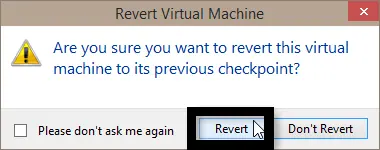
Restore a Hyper-V virtual machine to an existing checkpoint in Windows 10 and understand the difference between Apply and Create Checkpoint and Apply.
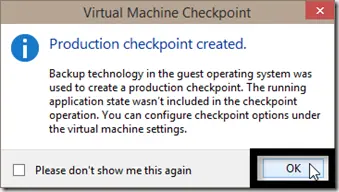
Choose Hyper-V checkpoint and fallback behavior, check storage and backups, verify creation and clean up safely on Windows 10.
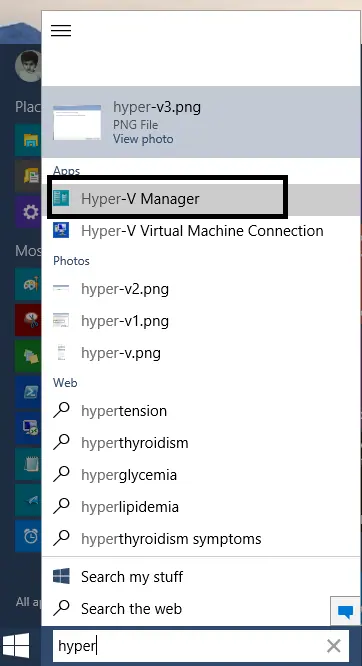
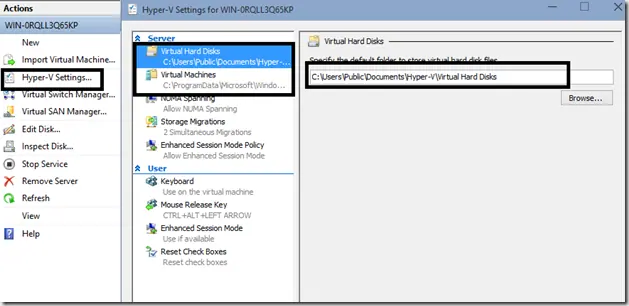
Enable Hyper-V, connect to the local host, and choose VM storage paths in this combined historical Windows 10 preview guide, with modern documentation clearly separated.
A historical look at Windows 10 Continuum, Microsoft's 2015 approach to adapting the interface between keyboard-and-mouse and touch-first device modes.
Troubleshoot Windows 8/8.1 error 0x800F0906 when Windows cannot download files needed for a feature or component repair.
Check and repair Windows 8/8.1 component-store corruption with DISM, then run System File Checker to repair protected system files.
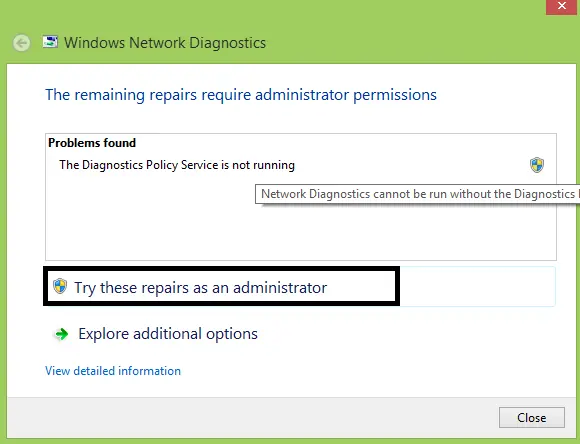
Inspect DPS status and start errors on Windows 8/8.1, separate diagnostic failures from network faults, and avoid unnecessary service-account privileges.
Troubleshoot Windows 8.1 error 0x800F081F when DISM or optional-feature installation cannot find the required source files.
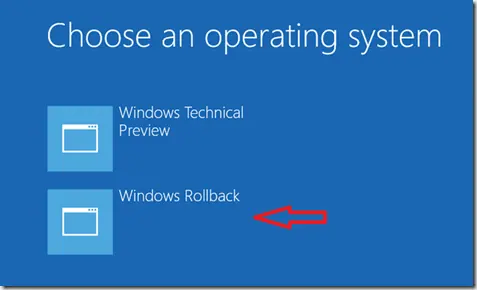
A historical explanation of the Windows Rollback boot entry that appeared on some early Windows 10 Technical Preview systems, plus the modern Go back equivalent.
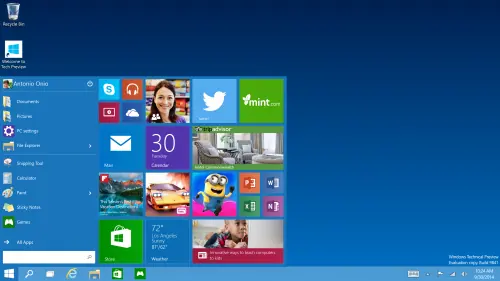
A historical summary of Windows 10 Technical Preview Build 10061, released to Fast ring Windows Insiders on April 22, 2015.
A revised archive of a 2014 look at EMCO MSI Package Builder, with current product context and clearer explanation of MSI repackaging and unattended deployment.
Historical Internet Explorer troubleshooting for a home page or search provider that keeps changing, with obsolete registry-heavy fixes removed from the main workflow.
Troubleshoot a Windows 8.1 PC that will not enter sleep by checking available sleep states, active power requests, drivers, and wake-enabled devices.
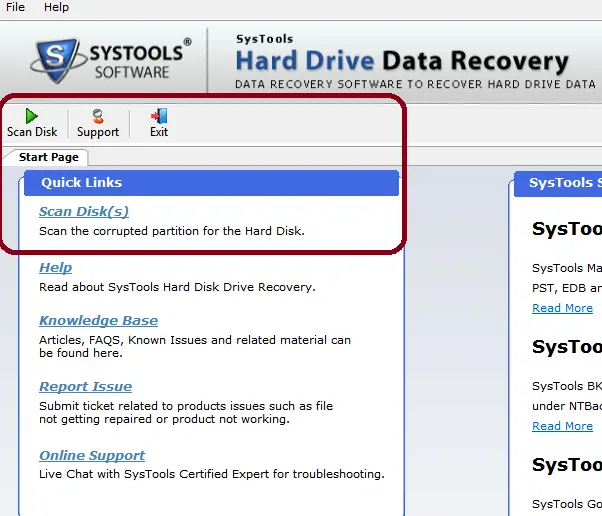
An edited archive of a 2014 hands-on review of SysTools Hard Drive Data Recovery, with current product context separated from the original test results.
A historical review of Ultimate Windows Tweaker 3 for Windows 8 and 8.1, with the original feature set separated from newer UWT releases.
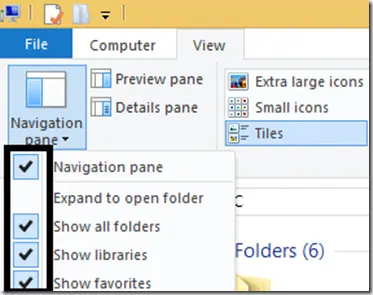
Show Libraries in Windows 8.1 File Explorer and restore the default library definitions when Documents, Pictures, Music, or Videos libraries are broken.
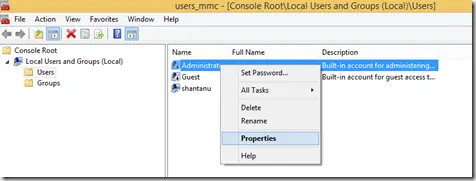
Enable the built-in Windows 8.1 Administrator account only when necessary, set a strong password, and disable it again after troubleshooting.
A historical archive of a 2013 Wondershare Video Converter Ultimate review. The giveaway is over, and the product is now known as Wondershare UniConverter.
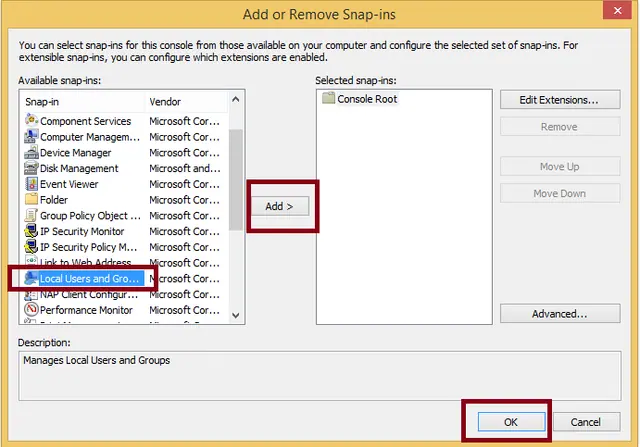
Open the Local Users and Groups MMC snap-in on supported Windows 8/8.1 editions and save a custom MMC console if needed.
Preserve data and collect phase-specific Windows 7/Vista Setup logs for errors 0x80FE0000 or 0x80FF0000 before changing media, controllers or partitions.
A historical Windows 8 guide explaining why users installed Windows Live Mail for POP support; Windows Essentials 2012 is now unsupported and unavailable from Microsoft.
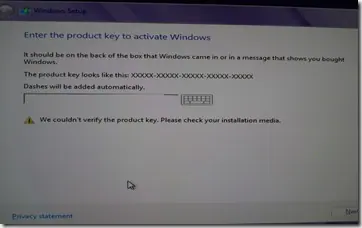
Historical troubleshooting for Windows 8/8.1 Setup when a valid-looking product key cannot be verified, focusing on edition/key mismatch and installation-media problems.
Historical troubleshooting for Windows 7/Vista systems that crash with 0x9F or 0xFE around sleep or USB activity, with the two bug checks correctly separated.
Create desktop shortcuts for shutdown and restart in Windows 8 and pin them to the Start screen using Windows' built-in shutdown command.
Historical troubleshooting for DRIVER_POWER_STATE_FAILURE (0x9F) on Windows 8/7, focusing on the device, driver, firmware, or power transition responsible for the crash.
Historical guidance for Windows 7/Vista crashes with VIDEO_MEMORY_MANAGEMENT_INTERNAL (0x10E) or SPECIAL_POOL_DETECTED_MEMORY_CORRUPTION (0xC1).
Historical Windows XP boot-recovery guidance for systems that restart around the logo screen, with destructive MBR/boot-sector commands moved out of the default workflow.
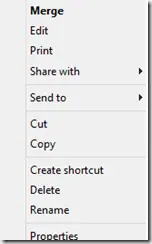
Historical troubleshooting for a missing Open With context-menu entry in Windows 7/8, using file-association, system-repair, and policy checks without unknown registry patches.
A historical archive of the preparation advice surrounding Microsoft's Windows 8.1 Preview release in June 2013; the preview is no longer an installable supported product.
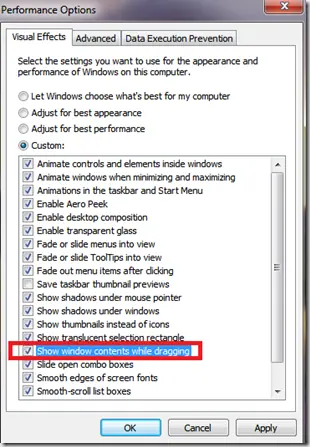
Historical troubleshooting for Windows XP through Windows 8 when window contents disappear or appear transparent while dragging or resizing.
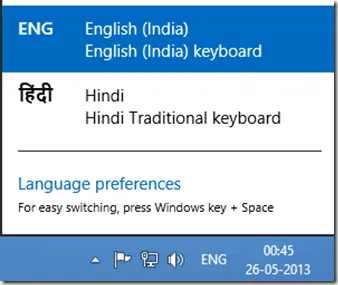
A historical Windows 8 guide to adding another input language and switching keyboard layouts from the taskbar.
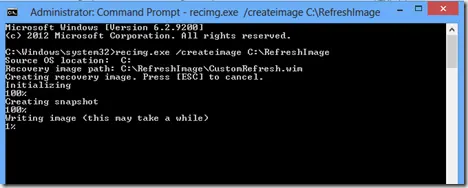
Historical Windows 8 guide to creating and registering a custom Refresh image with Recimg.exe; this recovery model does not apply to modern Windows releases.
Historical Windows 8 guidance for INTERNAL_POWER_ERROR (0xA0) on resume from hibernate, including Microsoft's documented cumulative-update fix for one specific scenario.
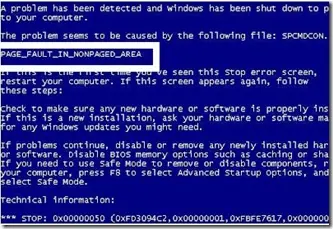
Historical troubleshooting for PAGE_FAULT_IN_NONPAGED_AREA (0x50), focusing on faulty drivers/services, antivirus software, NTFS corruption, and failing memory or hardware.
Historical troubleshooting for Windows Media Player full-screen freezes on Windows Vista, prioritizing graphics drivers, media-specific testing, and hardware diagnostics.
Historical Windows 7 recovery for Microsoft's documented Bootcat.cache-related 0x6B startup failure, while noting that 0x6B can also have other disk/boot causes.
Historical Windows Media Player troubleshooting for the 'Server execution failed' error on Windows XP through Windows 8, with unsafe privilege changes removed.
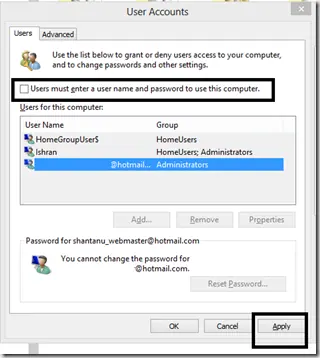
Historical Windows 8 guide to automatic sign-in, with a clear explanation that autologon stores reusable credentials and reduces physical-access security.
Historical Windows 8 setup troubleshooting focused on compatibility, reliable media, free space, disconnected peripherals, setup logs, and storage health.
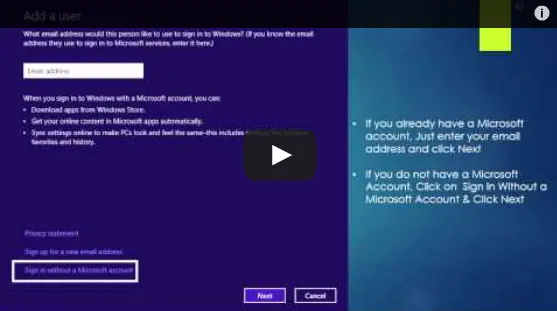
Historical Windows 8 guide to adding a Microsoft account and enabling the operating system's original settings-sync experience across Windows 8 devices.
Historical Windows 8 Settings and Charms guide: app search, sharing, Start, device actions, version differences and five original videos.
Choose and verify a Windows 8 multi-monitor layout, distinguish detection from arrangement problems, and isolate cable, input and driver faults.
Historical Windows 7 troubleshooting for activation error 0x80070005 when licensing access is blocked by permissions or Plug and Play policy settings.
Historical troubleshooting for a Recycle Bin icon that remains stuck in its full or empty state in Windows Vista or Windows XP.
Archived 2013 hands-on review of Stellar Phoenix Windows Data Recovery after recovering files from a 2 TB drive that appeared as RAW in Windows.
Historical guidance for restricting USB mass-storage access without disabling unrelated USB keyboards, mice, printers, and other peripherals.
Restore the classic Quick Launch toolbar in Windows 7 using the built-in Quick Launch folder.
Safer data-first troubleshooting for a Windows drive or partition that suddenly appears as RAW and cannot be opened.
Historical troubleshooting for Windows 7/Vista when Explorer repeatedly forgets saved folder-view settings.
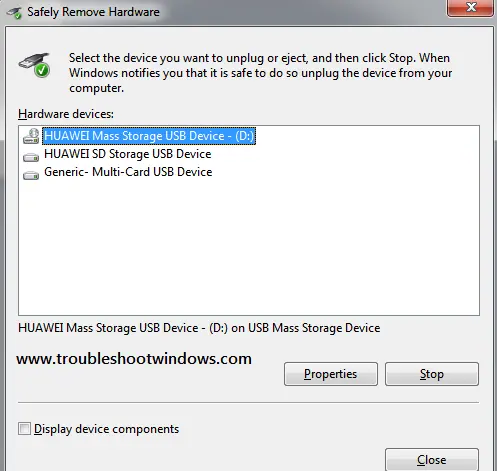
Historical Windows 7/Vista troubleshooting for the Safely Remove Hardware icon or dialog when removable devices are connected.
Historical troubleshooting for Internet Explorer video playback problems, updated to remove obsolete Flash, Silverlight, and Java installation advice.
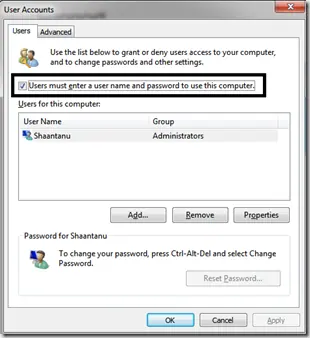
Historical Windows 7 troubleshooting for the Microsoft-documented Interactive Logon Process Initialization Failure, including the automatic-logon trigger.
Safer legacy troubleshooting for a keyboard or mouse that works before Windows loads but stops responding at or after sign-in.
Historical Windows 8 startup-recovery guidance for a blank screen or failure to boot after a crash, power loss, shutdown, or hibernation problem.
Historical Windows 8 troubleshooting for a firewall that cannot be enabled, including required services, third-party security conflicts, system-file repair, and firewall reset.
Use Windows Recovery and Bootrec to repair master boot code on a Windows 8 installation that actually uses legacy BIOS/MBR booting.
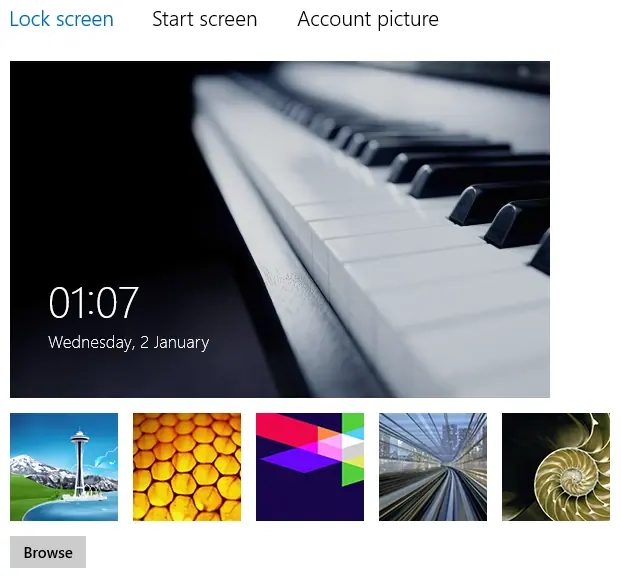
Historical Windows 8 troubleshooting when lock-screen personalization is blocked or the selected image does not appear.
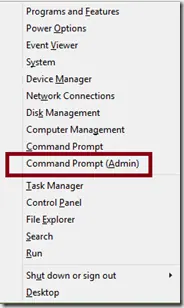
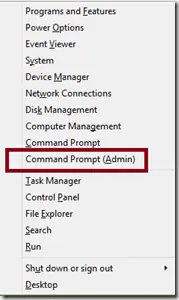
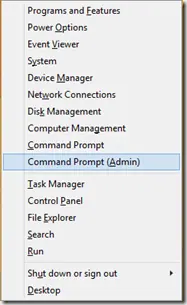
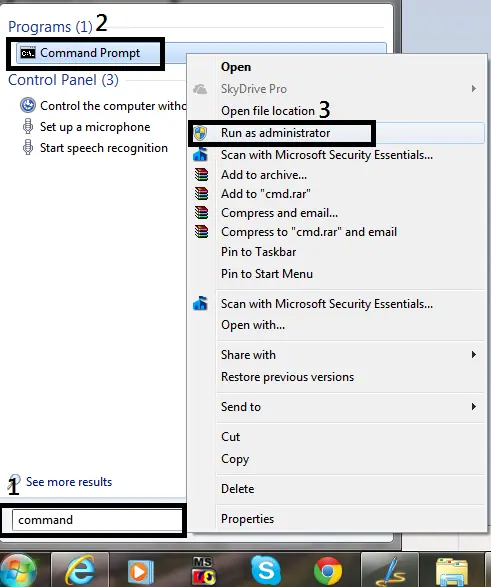
Historical guide to opening an elevated Command Prompt in Windows 8, Windows 7, and Windows Vista.
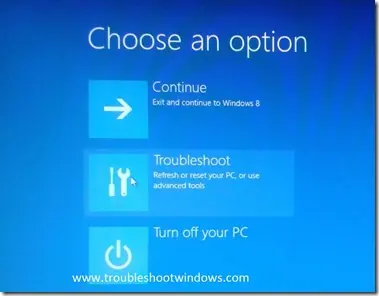
Historical Windows 8 guide to opening Windows Recovery Environment and choosing repair, restore, refresh, or command-line tools.
Historical troubleshooting for Windows 8 Microsoft-account sign-in problems, covering account verification, network, keyboard layout, local accounts, and system-file checks.
Historical Windows 8 troubleshooting for a PC that powers off or restarts while idle, with power-plan, event-log, thermal, and hardware checks.
Historical troubleshooting for password-protected file sharing settings that will not stay disabled in Windows 8, Windows 7, or Windows Vista.
Historical Windows 8 troubleshooting for Windows Update failures, using restart, built-in troubleshooting, DISM, SFC, and clean-boot checks without unsafe blanket driver or antivirus changes.
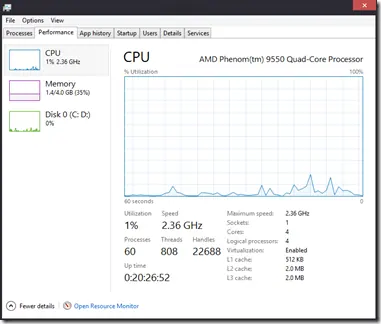
A tour of the redesigned Windows 8 Task Manager, including Processes, Performance, App history, Startup, Users, Details, and Services.
Historical Windows 8 Hyper-V boot troubleshooting focused on hardware virtualization requirements, recovery, and safely disabling the hypervisor when needed.
Historical guide to reducing automatic media execution in Windows 7, Vista, and XP using AutoPlay policy rather than error-prone registry edits.
Historical Windows 8 shortcut reference with Start customization, administrative tools, app-switching and snapping behavior, plus Windows 8.1 differences.
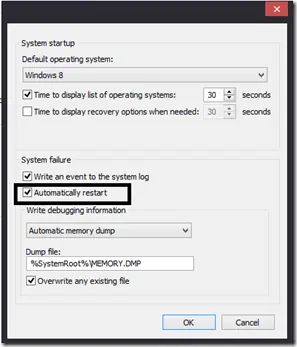
Historical Windows guide to keeping a blue-screen stop message visible by disabling automatic restart after a system failure.
Historical troubleshooting for laptop touchpad cursor jumps, focusing on palm rejection, OEM drivers, sensitivity, charger interference, and hardware isolation.
Historical Windows 8 guide distinguishing a USB recovery drive from a separate CD/DVD system repair disc.
A historical Windows 8 Refresh guide covering file and app consequences, backup preparation, Windows 8/8.1 entry points, recovery failures, and the original video.
Historical Windows 8 Mail guide to account setup, per-account signatures and sync troubleshooting, with clear limits for retired clients and sign-in methods.
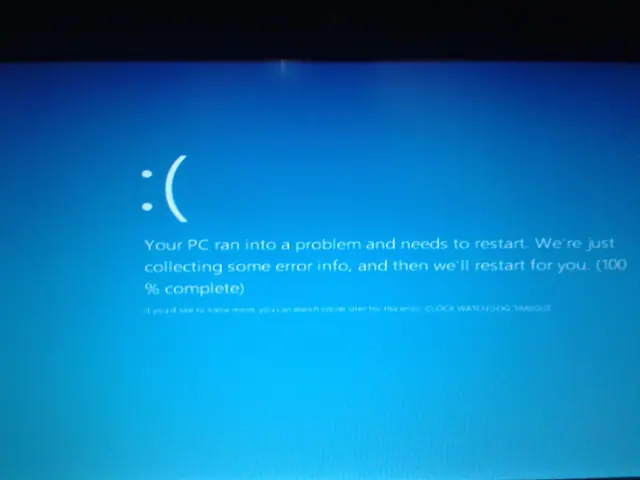
Troubleshoot the CLOCK_WATCHDOG_TIMEOUT 0x101 blue-screen error by checking CPU stability, firmware, chipset drivers, recent hardware changes, and crash dumps.
Historical Windows 8 troubleshooting for Store/Metro apps that display a splash screen and immediately fail to open.
Original Windows 8 launch-day commentary with a checked 2012 RTM, MSDN/TechNet and public-release timeline, plus historical upgrade-offer context.
Historical Windows 7/8 guide to using Display Color Calibration for gamma, brightness, contrast, color balance, and ClearType.
Historical Windows 7/Vista troubleshooting for applications that frequently stop responding, with resource, disk, memory, driver, and system-file checks.
Historical Wi-Fi troubleshooting for Windows 8/7/Vista/XP when the wireless adapter is off, missing, disabled, or unable to see nearby networks.
Historical steps for manually creating a wireless profile for a hidden SSID in Windows 7, Vista, and XP.
Diagnose Windows 7 stop error 0xED, identify the boot volume, protect files and choose Startup Repair or disk checks with clear stop conditions.
Historical troubleshooting for antivirus products that downloaded definitions but still reported an outdated status on older Windows releases.
Historical Windows 7 guide to restoring image thumbnails in File Explorer by checking folder settings, view mode, cache, and file associations.
Historical troubleshooting for drag-and-drop failures in Windows Explorer and applications on Windows 7, Vista, and XP.
Historical Windows 7 troubleshooting for Alt+Tab switcher problems, including keyboard checks, Explorer restart, visual settings, clean boot, and system-file repair.
Historical device-detection troubleshooting for older Windows versions using connection checks, Device Manager, OEM drivers, and hardware diagnostics.
Check an LCD dot with static colors and the monitor’s own diagnostics, distinguish panel defects from image artifacts, and document a support request.
Historical troubleshooting for laptop brightness sliders and function keys that stop working on older Windows versions.
Historical external-drive troubleshooting for older Windows versions, emphasizing safe cable, power, Device Manager, and Disk Management checks without risking existing data.
A historical look at Internet Explorer's evolution, preserved with context that IE 11 desktop support has ended and Microsoft Edge is the supported browser path.
Distinguish overheating from power faults, record useful fan and temperature evidence, improve airflow safely, and know when a PC needs hardware service.
Historical troubleshooting for Device Manager opening with no devices listed, using service checks, system-file repair, System Restore, and profile testing without broad registry ACL changes.
Updated historical SSD guidance explaining AHCI, TRIM, Windows drive optimization, indexing, write caching, and what not to disable on modern SSD-aware Windows releases.
Historical explanation of partition alignment, why modern Windows setup normally aligns partitions automatically, and why destructive DiskPart realignment should not be routine maintenance.
Historical guide to diagnosing NTFS ownership and permission errors after reinstalling or moving drives, with encryption and file-system cautions.
Archive note on Microsoft introducing its four-color square logo and Segoe wordmark in August 2012, its first major corporate logo change since 1987.
Historical troubleshooting guide for the 0x0000007B INACCESSIBLE_BOOT_DEVICE blue-screen error in Windows 7, Vista, and XP.
Historical battery-life troubleshooting for Windows 8, 7, Vista, and XP laptops, focusing on power settings, brightness, background activity, devices, and battery health.
Historical 0x7F diagnosis for Windows 7 and Windows 8, with separate SP1 cases, hardware and driver checks, dump interpretation and firmware safeguards.
Isolate background software conflicts on Windows 7 or Vista, record the starting configuration and restore only the settings you changed.
Historical troubleshooting for repeated Windows Explorer crashes in Windows 7, Vista, and XP, using system-file checks, clean boot, restore, and driver/app isolation.
Separate single-account and system-wide failures, protect files, assess registry evidence and verify a replacement profile in Windows 7 or Vista.
Historical Windows 7 and Vista recovery guide for the “BOOTMGR is missing” startup error, using boot-order checks, Startup Repair, System Restore, and BCD repair when appropriate.
Historical troubleshooting for Windows Update error 0x8000FFFF in Windows 7 and Vista, with safer cache and system-integrity checks.
Historical performance troubleshooting for Windows 7, Vista, and XP PCs, focusing on startup load, storage, RAM, malware, thermals, and power settings.
Historical Windows 7, Vista, and XP guide to diagnosing file and folder copy, move, rename, delete, permission, and Explorer problems.
Distinguish a Windows stop-code crash from a blank display, collect useful evidence, and choose a targeted recovery step without guessing from screen colour.
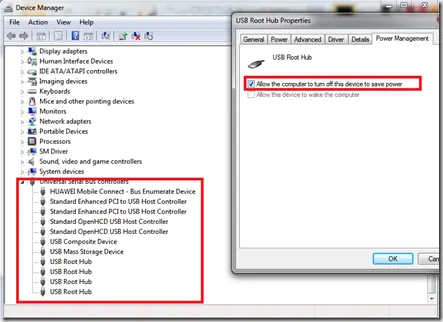
Historical USB troubleshooting for Windows 7, Vista, and XP, covering ports, hubs, power, drivers, chipset support, and device isolation.
Historical troubleshooting for flickering, scrambled graphics, or lines across a PC display, separating driver/app faults from cables, monitors, GPUs, and laptop display hardware.
Historical guide to clearing frozen print jobs in Windows 7, Vista, and XP by canceling the queue, restarting the spooler, and clearing spool files when necessary.
Interpret 0x7A status codes, preserve storage evidence, distinguish disk and memory tests, and verify repairs on legacy Windows systems.
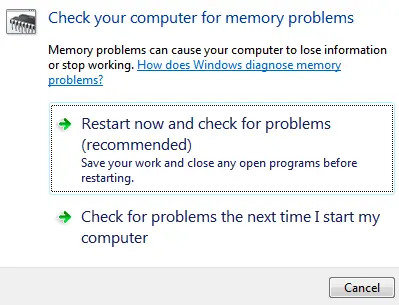
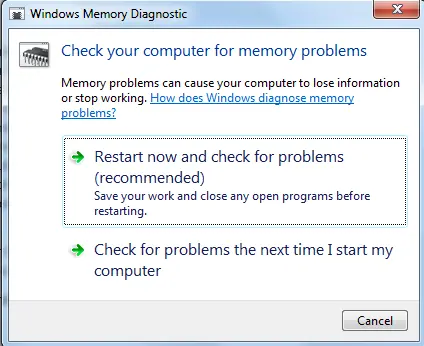
Run Windows Memory Diagnostic, find the matching result, and distinguish errors, a clean test and an incomplete run before replacing RAM.
Diagnose legacy Windows printing failures with self-tests, queue checks, safe spooler recovery and clear verification before changing drivers.