Stellar Phoenix Windows Data Recovery — 2013 Review (Historical)
Archived 2013 hands-on review of Stellar Phoenix Windows Data Recovery after recovering files from a 2 TB drive that appeared as RAW in Windows.
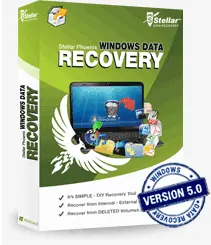
Archive note: This is a historical review of the version of Stellar Phoenix Windows Data Recovery tested in 2013. Product names, features, licensing, supported Windows versions, and availability may have changed substantially since then.
Data loss is one of those problems that becomes urgent very quickly. In my case, a 2 TB Seagate GoFlex external drive stopped appearing normally in Windows Explorer. Disk Management could still see the hardware, but the partition appeared as RAW.
At the time, I tested Stellar Phoenix Windows Data Recovery as a do-it-yourself recovery option.
What I tested in 2013
The version reviewed here supported the Windows releases current at the time and presented recovery tasks through a fairly simple interface. The areas I found most useful were:
- detection of attached storage devices;
- quick and deeper searches for lost volumes;
- RAW/file-signature recovery;
- previewing discovered folders and files before recovery;
- recovery of selected files to another destination;
- optical-disc recovery; and
- ancillary disk-image/clone functions offered by that release.
For my RAW 2 TB drive, the quick lost-volume scan was able to find the partition structure, and the tree-style results made it relatively easy to identify files to copy out.
What still matters in any data-recovery job
Regardless of which recovery product you use today:
- Stop writing to the affected drive. New writes can overwrite recoverable data.
- Recover files to a different physical drive. Do not save recovered data back to the damaged source.
- If the drive disconnects, makes abnormal mechanical noises, or reports worsening hardware errors, stop software recovery and consider a professional recovery service.
- Treat a product review from 2013 as evidence about that old version—not as a recommendation for the current product.
Verdict from the original test
For the failure I was dealing with in 2013, the software was approachable and the recovery workflow worked well enough to retrieve my files. The most useful feature was the ability to search for the lost volume and recover selected data without first reformatting the drive.
This restored article intentionally does not reproduce the original purchase/download recommendation because that would imply a current endorsement that has not been re-tested.
Related posts
Browse all articles →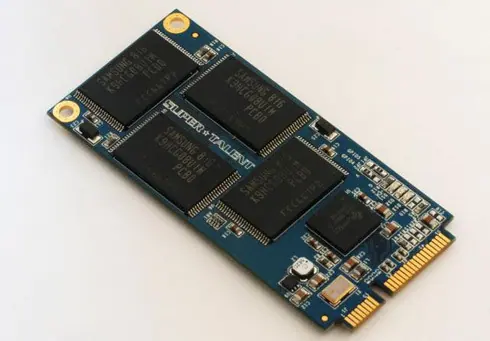
SSD Performance Tips for Windows 8, 7, Vista, and XP — Historical Guide
Updated historical SSD guidance explaining AHCI, TRIM, Windows drive optimization, indexing, write caching, and what not to disable on modern SSD-aware Windows releases.
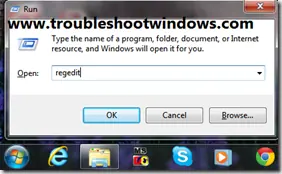
Block USB Storage Access in Windows 8/7/Vista/XP (Historical)
Historical guidance for restricting USB mass-storage access without disabling unrelated USB keyboards, mice, printers, and other peripherals.

Fix 'USB Device Not Recognized' in Windows 7, Vista, and XP — Historical Guide
Historical USB troubleshooting for Windows 7, Vista, and XP, covering ports, hubs, power, drivers, chipset support, and device isolation.