SSD/HDD Partition Alignment in Windows 8, 7, Vista, and XP — Historical Guide
Historical explanation of partition alignment, why modern Windows setup normally aligns partitions automatically, and why destructive DiskPart realignment should not be routine maintenance.
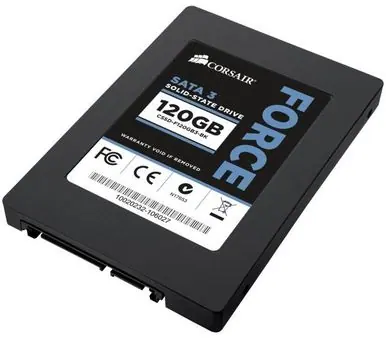
Historical support note: Partition alignment mattered most during the transition to Advanced Format disks and early SSDs. Windows Vista and later normally create appropriately aligned partitions during standard setup; Windows XP-era partitions are more likely to need investigation.
What alignment means
A partition begins at an offset from the start of the disk. Poor alignment can cause logical file-system operations to span extra physical blocks, reducing performance and increasing writes on some storage devices.
Check before changing anything
Do not repartition a healthy Windows 7/8/Vista system solely because an old utility reports a different “ideal” number. If Windows created the partition normally, misalignment is unlikely.
For legacy systems, use a trusted disk-information tool or Windows management information to inspect the partition starting offset and the storage device’s sector characteristics.
Do not use clean just to improve alignment
The original guide used DiskPart clean, deleted partitions, and recreated them with an explicit align=4096 value. That destroys partition information and can erase access to all data on the selected disk.
Microsoft still documents the DiskPart align= parameter, but notes it is typically used with hardware RAID LUNs. It is not a general instruction to force 4096-KB alignment on every SSD or HDD.
For a fresh installation, the safer approach is:
- back up all data;
- boot the appropriate Windows installer;
- delete/recreate partitions only when you intentionally want a clean installation;
- let Windows Setup create and align the normal system partitions.
If an old XP-era installation is genuinely misaligned and must be preserved, image/backup the disk first and use a specialist migration/alignment workflow rather than ad-hoc DiskPart commands.
Official references
- Microsoft: DiskPart
create partition primaryandalign=: https://learn.microsoft.com/en-us/windows-server/administration/windows-commands/create-partition-primary - Microsoft Windows lifecycle status: https://support.microsoft.com/en-us/windows/deployment/updates-lifecycle/what-does-it-mean-if-windows-isn-t-supported
Related posts
Browse all articles →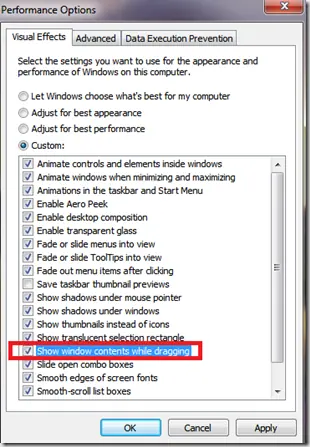
Fix Windows Turning Transparent While Dragging or Resizing (Windows XP–8, Historical)
Historical troubleshooting for Windows XP through Windows 8 when window contents disappear or appear transparent while dragging or resizing.

Keyboard and Mouse Stop Working After Windows Sign-In (XP–8, Historical)
Safer legacy troubleshooting for a keyboard or mouse that works before Windows loads but stops responding at or after sign-in.
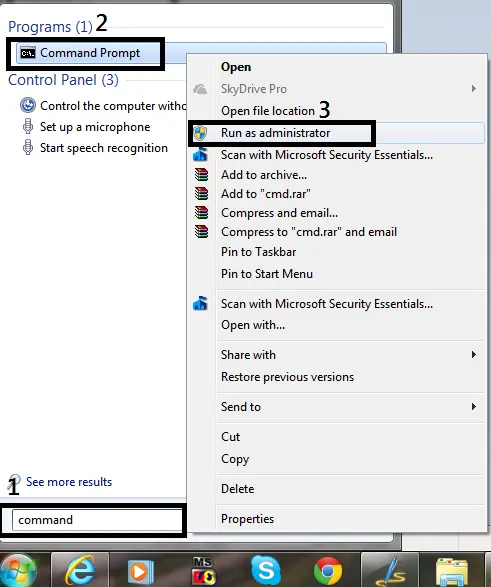
How to Open Command Prompt as Administrator in Windows 8, 7, and Vista (Historical)
Historical guide to opening an elevated Command Prompt in Windows 8, Windows 7, and Windows Vista.