Fix: Windows 8 Shuts Down or Restarts While Idle (Historical)
Historical Windows 8 troubleshooting for a PC that powers off or restarts while idle, with power-plan, event-log, thermal, and hardware checks.
Historical support note: This guide covers Windows 8-era systems. The troubleshooting principles still help distinguish sleep/hibernate from a genuine crash or power loss, but Windows 8 itself is unsupported.
If a Windows 8 PC appears to shut down or restart after sitting idle, first determine what actually happened. Sleep or hibernation can look like a shutdown, while an unexpected restart may indicate a crash, overheating, unstable hardware, or loss of power.
1. Check the active power plan
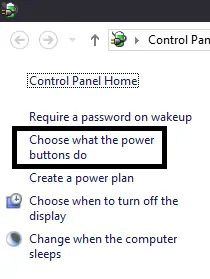
Open Control Panel > Power Options and select Change plan settings for the active plan. Review:
- Put the computer to sleep
- Hibernate after under advanced settings
- display and hard-disk time-outs
Set only the values you actually want. Do not disable power-saving features merely as a diagnostic unless you are testing whether one of them triggers the problem.
2. Check whether Windows recorded a shutdown or crash
Open Event Viewer > Windows Logs > System and inspect events around the time of the restart or power-off. Also check Reliability Monitor for application, driver, or hardware failures.
A Kernel-Power event can tell you Windows noticed an unexpected loss of power, but by itself it does not prove whether the cause was the power supply, battery, overheating, a crash, or another failure.
3. Check temperatures and power hardware
For a desktop, inspect the power supply, power cable, and cooling. For a laptop, test with the correct manufacturer-approved charger and check battery health. Clean blocked vents and make sure fans operate normally.
4. Update only relevant firmware and drivers
If the issue began after a driver change, roll that driver back or install the PC/motherboard manufacturer’s recommended Windows 8 driver. Firmware updates should come only from the system or motherboard manufacturer and should be applied according to its instructions.
The original article suggested changing an ACPI version in firmware or disabling Fast Startup as general fixes. Those are not reliable explanations for an idle shutdown and have been removed from the primary workflow.
Official reference
- Microsoft Windows lifecycle status: https://support.microsoft.com/en-us/windows/deployment/updates-lifecycle/what-does-it-mean-if-windows-isn-t-supported
Related posts
Browse all articles →
Fix: Windows Recovery Environment (WinRE) Won't Open in Windows 10
Troubleshoot Windows 10 when Advanced startup or Windows Recovery Environment will not open, using supported WinRE checks and recovery media.
Fix Windows Boot Error 0xc0000225 in Windows 10 or 8.1
Troubleshoot boot error 0xc0000225 with Startup Repair first, then repair Boot Configuration Data only when needed.
Fix Windows Update Error 0x80080008 in Windows 8 or 8.1 (Historical)
Historical Windows 8/8.1 troubleshooting for update error 0x80080008, with unsupported-OS context and safer repair steps.