Improve Laptop Battery Life in Windows 8, 7, Vista, and XP — Historical Guide
Historical battery-life troubleshooting for Windows 8, 7, Vista, and XP laptops, focusing on power settings, brightness, background activity, devices, and battery health.
Historical support note: This article targets Windows 8, Windows 7, Vista, and XP, all of which are out of support.
Short battery life can come from power settings, display brightness, background activity, attached devices, wireless radios, or simply an aging battery.
1. Start with the power plan
Use Balanced for normal work, or the power-saving plan when runtime matters more than performance. Avoid forcing High performance while on battery unless you specifically need it.
2. Reduce display power
The display is often one of the largest power consumers. Lower brightness to a comfortable level and shorten the time before the screen turns off when the laptop is idle.
3. Disconnect devices you are not using
External USB hard drives, optical drives, phones, and other bus-powered accessories can draw battery power. Disconnect devices that are not needed.
4. Reduce unnecessary background activity
Close software that is continuously using CPU, disk, network, or graphics resources. In Windows 7 and Vista, use Task Manager and msconfig carefully to identify unnecessary startup software rather than disabling entries at random.
5. Keep appropriate OEM drivers installed
Laptop power-management, chipset, graphics, and ACPI-related drivers can affect battery life and sleep behavior. Prefer the PC manufacturer’s supported drivers for the exact model.
6. Consider battery age
A battery that has lost a large part of its original capacity cannot be restored by a Windows setting. If runtime remains poor after software checks, use the manufacturer’s battery diagnostics or compare observed runtime with the battery’s age and design capacity.
Do not disable the hard-disk sleep timeout merely to save power; allowing an idle mechanical disk to spin down can reduce power use.
Official references
- Microsoft: Battery saving tips for Windows: https://support.microsoft.com/en-us/windows/experience/power-battery/battery-saving-tips-for-windows
- Microsoft: Windows support lifecycle: https://support.microsoft.com/en-us/windows/deployment/updates-lifecycle/what-does-it-mean-if-windows-isn-t-supported
Related posts
Browse all articles →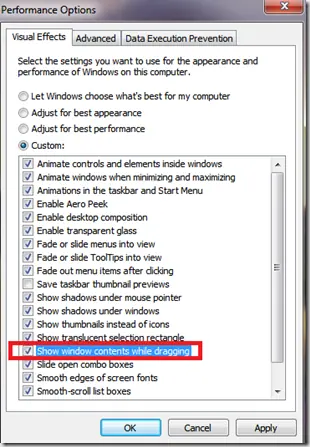
Fix Windows Turning Transparent While Dragging or Resizing (Windows XP–8, Historical)
Historical troubleshooting for Windows XP through Windows 8 when window contents disappear or appear transparent while dragging or resizing.

Keyboard and Mouse Stop Working After Windows Sign-In (XP–8, Historical)
Safer legacy troubleshooting for a keyboard or mouse that works before Windows loads but stops responding at or after sign-in.
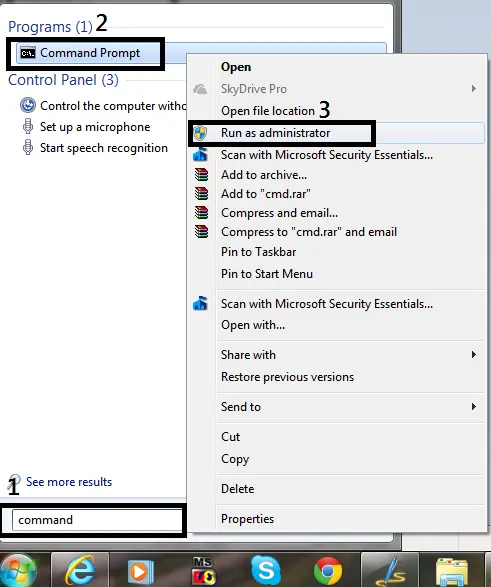
How to Open Command Prompt as Administrator in Windows 8, 7, and Vista (Historical)
Historical guide to opening an elevated Command Prompt in Windows 8, Windows 7, and Windows Vista.