Fix 'Interactive Logon Process Initialization Failure' in Windows 7 (Historical)
Historical Windows 7 troubleshooting for the Microsoft-documented Interactive Logon Process Initialization Failure, including the automatic-logon trigger.
Historical support note: Windows 7 is no longer supported, but Microsoft still hosts the original technical article for this specific failure.
The error may appear as:
Logon Process Initialization Failure
Interactive logon process initialization has failed.
Microsoft documented a Windows 7/Windows Server 2008 R2 issue in which the logon process could fail when automatic logon was being used.
1. Restart the PC
Microsoft notes that a restart is required to recover from the immediate failure.
2. Disable automatic logon as a workaround
If the PC is configured to sign in automatically:
- Press Windows key + R.
- Run:
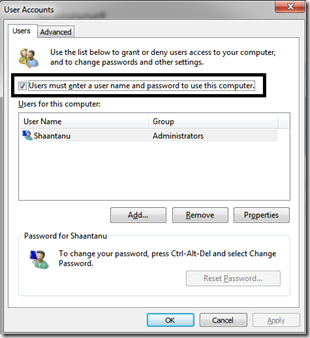
control userpasswords2- Enable Users must enter a user name and password to use this computer.
- Apply the change and restart.
This prevents Windows from using the automatic-logon path associated with the documented issue.
3. Install applicable servicing updates
The original Microsoft article offered a hotfix for this specific bug. On a legacy installation, make sure the system is at the final servicing level available for Windows 7 rather than hunting for third-party copies of an old hotfix package.
4. If the issue began after another system change
Boot into Windows recovery or Safe Mode and use System Restore to roll back a recent driver, software, or configuration change.
Official references
- Microsoft: Logon Process Initialization Failure in Windows 7: https://support.microsoft.com/en-us/topic/-logon-process-initialization-failure-error-message-and-the-logon-process-does-not-start-in-windows-7-or-in-windows-server-2008-r2-b8b46b93-5185-2de1-5b31-2ab24c979fe0
- Microsoft Windows lifecycle status: https://support.microsoft.com/en-us/windows/deployment/updates-lifecycle/what-does-it-mean-if-windows-isn-t-supported
Related posts
Browse all articles →
SSD Performance Tips for Windows 8, 7, Vista, and XP — Historical Guide
Updated historical SSD guidance explaining AHCI, TRIM, Windows drive optimization, indexing, write caching, and what not to disable on modern SSD-aware Windows releases.

Fix 'USB Device Not Recognized' in Windows 7, Vista, and XP — Historical Guide
Historical USB troubleshooting for Windows 7, Vista, and XP, covering ports, hubs, power, drivers, chipset support, and device isolation.
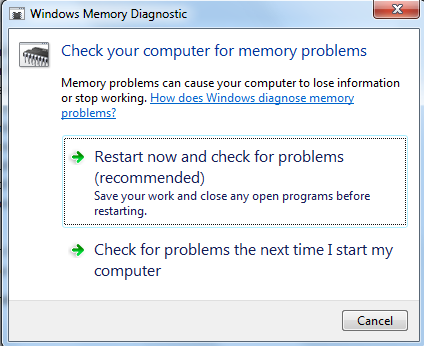
Use Windows Memory Diagnostic to Test RAM — Historical Guide
Guide to running Windows Memory Diagnostic on legacy Windows systems to check for memory errors, including Standard and Extended test options.