Fix DRIVER_PORTION_MUST_BE_NONPAGED in Windows 10
Troubleshoot the DRIVER_PORTION_MUST_BE_NONPAGED (0xD3) stop error in Windows 10 by isolating drivers and recent hardware changes.
DRIVER_PORTION_MUST_BE_NONPAGED is Windows bug check 0xD3. Microsoft documents it as a driver error in which code or data that should remain resident was incorrectly marked pageable and was accessed at an invalid interrupt level.
For a home user, the practical goal is to identify the driver or hardware change that triggered the crash rather than immediately changing firmware or resetting Windows.
Windows 10 support note: Windows 10 reached end of normal support on October 14, 2025.
1. Note the driver or module name
If the blue-screen message shows What failed: followed by a .sys file, write it down. That can help identify the device driver involved.
2. Disconnect recently added hardware
If the crashes began after adding a peripheral, expansion card, storage device, or other hardware, shut down the PC and temporarily remove that device.
Restart and check whether the error returns.
3. Start Windows in Safe Mode
Use Windows Recovery Environment > Troubleshoot > Advanced options > Startup Settings > Restart, then choose Safe Mode.
If Windows is stable in Safe Mode, a third-party driver or startup component becomes more likely.
4. Update, roll back, or uninstall the suspected driver
Open Device Manager and locate the device associated with the suspected driver.
- If the problem started after a driver update, use Properties > Driver > Roll Back Driver when available.
- Otherwise, install the current driver supplied by the PC or hardware manufacturer.
- If a recently installed device is not needed, uninstall or disconnect it temporarily to test.
Avoid installing generic third-party “driver updater” utilities.
5. Install the updates available to your servicing path
On an eligible Windows 10 system, install the Windows updates and vendor driver/firmware updates that are still available to that device. Normal Windows 10 support has ended, so availability depends on the edition and any Extended Security Updates coverage.
6. Use System Restore if the problem began after a recent change
If a restore point exists from before the crashes started, System Restore can roll back system files, drivers, registry settings, and installed programs without deleting normal personal files.
Firmware/BIOS updates should not be the first troubleshooting step. Only apply one when your device manufacturer specifically recommends it for the issue and you can maintain reliable power throughout the update.
Official references
Related posts
Browse all articles →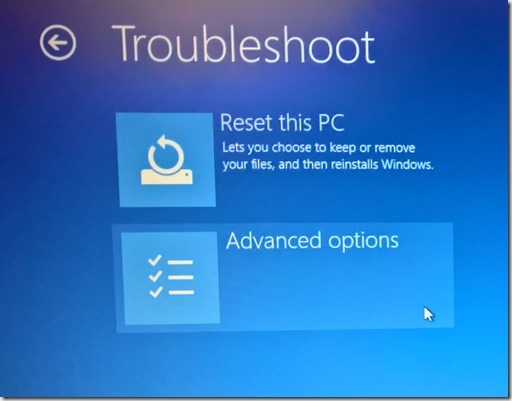
Fix 'Your PC Did Not Start Correctly' in Windows 10
Use Windows Recovery Environment to repair the 'Your PC did not start correctly' loop in Windows 10 without jumping straight to destructive reset steps.
How to Batch Rename Files in Windows with PowerRename and PowerShell
Use Microsoft PowerToys PowerRename or PowerShell to preview and apply advanced bulk file-renaming rules in Windows 10 and 11.
How to Replace PowerShell with Command Prompt in the Windows 10 Win+X Menu (Historical)
Historical Windows 10 instructions for switching the Win+X menu from Windows PowerShell to Command Prompt. This setting does not describe the current Windows 11 menu.