Fix Hardware Devices Not Detected in Windows 8, 7, Vista, or XP — Historical Guide
Historical device-detection troubleshooting for older Windows versions using connection checks, Device Manager, OEM drivers, and hardware diagnostics.

Historical support note: This guide covers Windows 8, Windows 7, Windows Vista, and Windows XP. All are unsupported.
When Windows stops detecting a device, avoid installing random drivers or changing registry permissions. First determine whether the device is receiving power, physically connected, and visible to Windows at all.
1. Check the connection and power
For external hardware:
- reconnect the cable;
- try another known-good cable or port;
- avoid unpowered USB hubs for devices that draw significant power;
- test the device on another PC if possible.
2. Check Device Manager
Open Device Manager and look for:
- the expected device;
- Unknown device entries;
- yellow warning icons;
- a disabled device.
Open Properties and note the device status/error code before changing anything. Use Scan for hardware changes after reconnecting hardware.
3. Install the correct manufacturer driver
Use the PC or hardware manufacturer’s official support site for the exact model and Windows version. Do not use generic driver-download sites.
4. Undo recent driver changes
If the device failed immediately after a driver update, use Roll Back Driver where available or reinstall the known-good OEM package.
5. Separate Windows from hardware failure
If the device is not detected by firmware/BIOS, another operating system, or another computer, the problem is likely outside Windows. Use the manufacturer’s diagnostics or service process.
The original article included broad registry and service edits that could affect unrelated hardware. Those steps are removed because they are not appropriate generic device-detection fixes.
Official reference
- Microsoft Windows lifecycle status: https://support.microsoft.com/en-us/windows/deployment/updates-lifecycle/what-does-it-mean-if-windows-isn-t-supported
Related posts
Browse all articles →
Fix File and Folder Problems in Windows 7, Vista, and XP — Historical Guide
Historical Windows 7, Vista, and XP guide to diagnosing file and folder copy, move, rename, delete, permission, and Explorer problems.
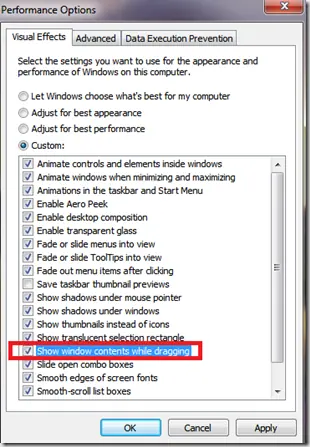
Fix Windows Turning Transparent While Dragging or Resizing (Windows XP–8, Historical)
Historical troubleshooting for Windows XP through Windows 8 when window contents disappear or appear transparent while dragging or resizing.

Keyboard and Mouse Stop Working After Windows Sign-In (XP–8, Historical)
Safer legacy troubleshooting for a keyboard or mouse that works before Windows loads but stops responding at or after sign-in.