Fix File and Folder Problems in Windows 7, Vista, and XP — Historical Guide
Historical Windows 7, Vista, and XP guide to diagnosing file and folder copy, move, rename, delete, permission, and Explorer problems.

Historical support note: Windows 7, Vista, and XP are out of support.
File and folder problems can have very different causes: permissions, a file that is in use, disk errors, network disconnects, Explorer settings, or damaged Windows components. One repair command does not address all of them.
If you cannot rename, move, or delete a file
- Make sure the file is not open in another application.
- Check whether you have permission to modify the folder.
- If the item is on a network share, verify the network connection and share permissions.
- If many unrelated files become unreadable or disappear, check the disk before continuing.
If Windows Explorer itself is malfunctioning
On Windows 7 or Vista, run System File Checker from an elevated Command Prompt:
sfc /scannowOn Windows XP, SFC may request the matching installation media.
SFC repairs protected Windows system files. It does not fix ordinary user-document permissions, undelete missing files, or repair every file-system problem.
About the old File and Folder Fix It
Microsoft previously provided downloadable Fix It troubleshooters for some Explorer/file problems. Those packages are retired and should not be downloaded from unofficial mirrors.
Official references
- Microsoft: System File Checker: https://support.microsoft.com/en-us/windows/experience/backup-recovery/use-the-system-file-checker-tool-to-repair-missing-or-corrupted-system-files
- Microsoft: Windows support lifecycle: https://support.microsoft.com/en-us/windows/deployment/updates-lifecycle/what-does-it-mean-if-windows-isn-t-supported
Related posts
Browse all articles →
Fix Hardware Devices Not Detected in Windows 8, 7, Vista, or XP — Historical Guide
Historical device-detection troubleshooting for older Windows versions using connection checks, Device Manager, OEM drivers, and hardware diagnostics.
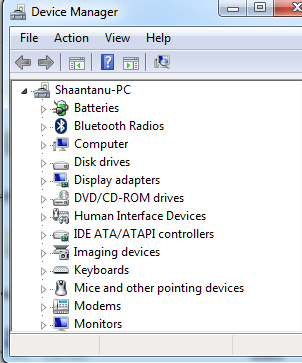
Fix an Empty Device Manager in Windows 7, Vista, or XP — Historical Guide
Historical troubleshooting for Device Manager opening with no devices listed, using service checks, system-file repair, System Restore, and profile testing without broad registry ACL changes.
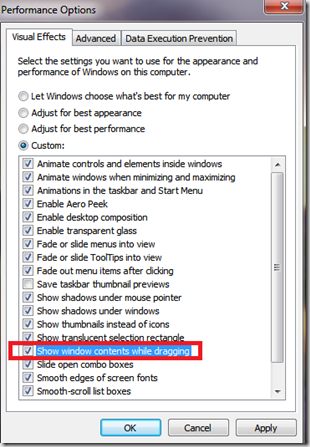
Fix Windows Turning Transparent While Dragging or Resizing (Windows XP–8, Historical)
Historical troubleshooting for Windows XP through Windows 8 when window contents disappear or appear transparent while dragging or resizing.