Fix a Blank Screen or Startup Failure in Windows 8 After an Improper Shutdown (Historical)
Historical Windows 8 startup-recovery guidance for a blank screen or failure to boot after a crash, power loss, shutdown, or hibernation problem.
Historical support note: Windows 8 is no longer supported. Use this article only for legacy recovery.
A blank screen after an improper shutdown does not by itself identify the damaged component. Start with Windows Recovery rather than changing firmware boot modes or reinstalling immediately.
1. Enter Windows Recovery
Boot from Windows 8 installation/recovery media, or use the PC’s recovery environment if it still starts.
Choose:
Troubleshoot > Advanced options
2. Run Startup Repair
Use Startup Repair first. Microsoft recommends Startup Repair as an early step for Windows startup problems because it can repair common boot configuration and startup faults without requiring you to guess at the underlying file.
3. Try System Restore
If the problem started after a driver, update, or configuration change, use System Restore to return the system to an earlier restore point.
4. Check storage if the failure keeps returning
Repeated corruption after power loss can point to storage problems. Back up important data as soon as the system becomes accessible and check the drive’s health.
Use filesystem repair tools only when you have a reason to suspect filesystem corruption and preferably after backing up data.
Do not randomly switch UEFI/Legacy boot mode
The original article recommended changing firmware boot mode and then reinstalling Windows. That is not a general fix. An installation made in UEFI mode normally expects to continue booting in UEFI mode; switching to Legacy/CSM can make a previously bootable installation disappear.
Change firmware boot mode only when you understand how the existing Windows installation was configured.
Official references
- Microsoft: Windows startup issues troubleshooting: https://learn.microsoft.com/en-us/troubleshoot/windows-client/performance/windows-boot-issues-troubleshooting
- Microsoft Windows lifecycle status: https://support.microsoft.com/en-us/windows/deployment/updates-lifecycle/what-does-it-mean-if-windows-isn-t-supported
Related posts
Browse all articles →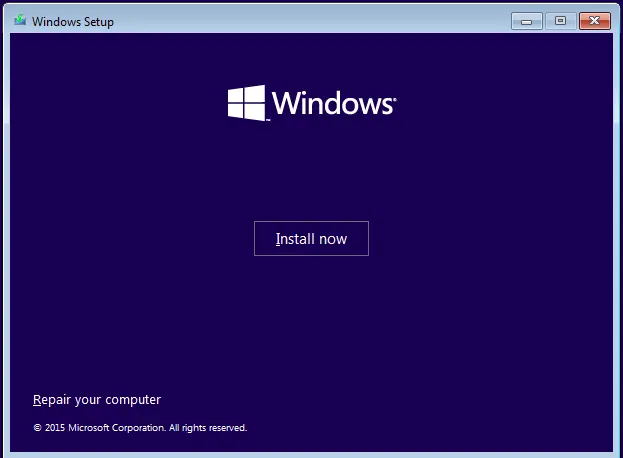
Fix: Windows Recovery Environment (WinRE) Won't Open in Windows 10
Troubleshoot Windows 10 when Advanced startup or Windows Recovery Environment will not open, using supported WinRE checks and recovery media.
Fix Windows Boot Error 0xc0000225 in Windows 10 or 8.1
Troubleshoot boot error 0xc0000225 with Startup Repair first, then repair Boot Configuration Data only when needed.
Fix Windows Update Error 0x80080008 in Windows 8 or 8.1 (Historical)
Historical Windows 8/8.1 troubleshooting for update error 0x80080008, with unsupported-OS context and safer repair steps.