Fix Brightness Controls or Hotkeys Not Working in Windows 8, 7, Vista, or XP — Historical Guide
Historical troubleshooting for laptop brightness sliders and function keys that stop working on older Windows versions.

Historical support note: This guide covers unsupported versions of Windows. Brightness controls on older laptops depend heavily on the display driver, chipset/ACPI support, and the manufacturer’s hotkey utility.
1. Test both Windows and hardware controls
Try the laptop’s brightness function keys and, where available, the brightness control in Windows power/display settings. If only the function keys fail, the hotkey utility may be the issue rather than the display itself.
2. Install the laptop manufacturer’s packages
From the PC manufacturer’s support site, install the packages intended for the exact model and Windows version, especially:
- display/graphics driver;
- chipset or platform driver;
- ACPI/system-interface driver;
- hotkey/function-key utility.
Avoid third-party driver-updater programs.
3. Roll back a recent display-driver change
If brightness control stopped immediately after a driver update, use Device Manager > Display adapters > Properties > Driver and roll back where available, or reinstall the OEM-supported version.
4. Check power-plan settings
On Windows 7/8, open Power Options and confirm the plan is not forcing an unexpected display brightness level.
5. Check hardware if the backlight itself is unstable
Flickering, a very dim image visible only under a flashlight, or brightness that changes independently of software can indicate panel/backlight or power hardware problems. Use the manufacturer’s diagnostics/service process.
The original article suggested forcing generic monitor/display entries and broad driver changes. Those are not retained as default fixes because laptop brightness control is model-specific.
Official reference
- Microsoft Windows lifecycle status: https://support.microsoft.com/en-us/windows/deployment/updates-lifecycle/what-does-it-mean-if-windows-isn-t-supported
Related posts
Browse all articles →
Fix Frequent 'Not Responding' Messages in Windows 7 and Vista — Historical Guide
Historical Windows 7/Vista troubleshooting for applications that frequently stop responding, with resource, disk, memory, driver, and system-file checks.
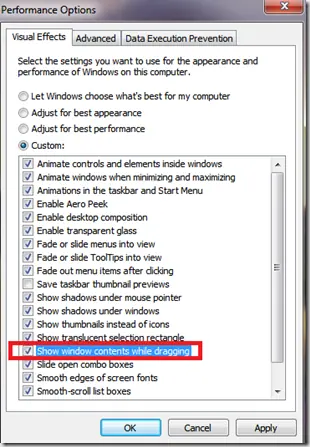
Fix Windows Turning Transparent While Dragging or Resizing (Windows XP–8, Historical)
Historical troubleshooting for Windows XP through Windows 8 when window contents disappear or appear transparent while dragging or resizing.
Keyboard and Mouse Stop Working After Windows Sign-In (XP–8, Historical)
Safer legacy troubleshooting for a keyboard or mouse that works before Windows loads but stops responding at or after sign-in.