How to Rebuild the BCD in Windows 10 or Windows 8.1
Repair Boot Configuration Data from Windows Recovery Environment, using Startup Repair first and Bootrec or BCDBoot only when needed.
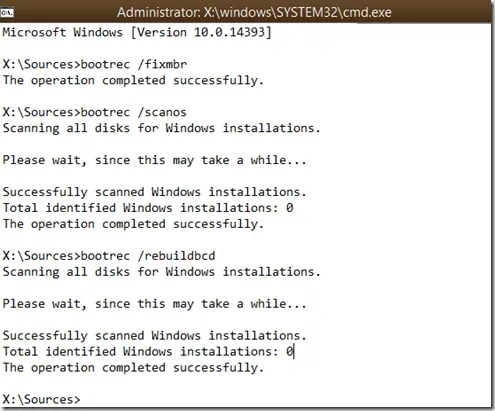
Boot Configuration Data (BCD) tells Windows Boot Manager where Windows is installed and how it should start. A damaged or missing BCD store can cause boot errors, but it is only one of several possible startup problems.
Support note: Windows 8.1 reached end of support on January 10, 2023, and Windows 10 reached end of normal support on October 14, 2025. This guide is retained for recovery of existing systems.
Start with Startup Repair
Before rebuilding BCD manually:
- Enter Windows Recovery Environment (WinRE).
- Select Troubleshoot > Advanced options > Startup Repair.
- Let Windows diagnose the startup problem and restart.
Startup Repair can already repair common BCD and boot-record problems.
Rebuild BCD manually
If Startup Repair does not work and the symptoms still point to BCD corruption:
- In WinRE, open Troubleshoot > Advanced options > Command Prompt.
- Scan for Windows installations:
bootrec /scanos- Ask Bootrec to rebuild the BCD store:
bootrec /rebuildbcd- If Windows finds the expected installation, follow the prompt to add it.
- Restart the PC.
Use BCDBoot when the boot files themselves need to be recreated
On Windows 10, BCDBoot can copy fresh boot-environment files from a known Windows installation.
Drive letters can change in WinRE. Confirm the drive that actually contains the Windows folder. If it is D: in WinRE, for example:
bcdboot D:\WindowsDo not assume Windows is always on C: while you are in recovery mode.
BCD is not the same as the MBR
The original version of this article treated BCD and the Master Boot Record as the same repair job. They are different components. Modern UEFI/GPT systems do not use the legacy MBR boot path in the same way as BIOS/MBR systems, so commands such as bootrec /fixmbr should not be run automatically on every machine.
Official references
- Startup Repair: https://support.microsoft.com/en-us/windows/experience/startup-boot/startup-repair
- BCDBoot: https://learn.microsoft.com/en-us/windows-server/administration/windows-commands/bcdboot
- Windows boot troubleshooting: https://learn.microsoft.com/en-us/troubleshoot/windows-client/performance/windows-boot-issues-troubleshooting
Related posts
Browse all articles →
Fix: Windows Recovery Environment (WinRE) Won't Open in Windows 10
Troubleshoot Windows 10 when Advanced startup or Windows Recovery Environment will not open, using supported WinRE checks and recovery media.
Fix Windows Boot Error 0xc0000225 in Windows 10 or 8.1
Troubleshoot boot error 0xc0000225 with Startup Repair first, then repair Boot Configuration Data only when needed.
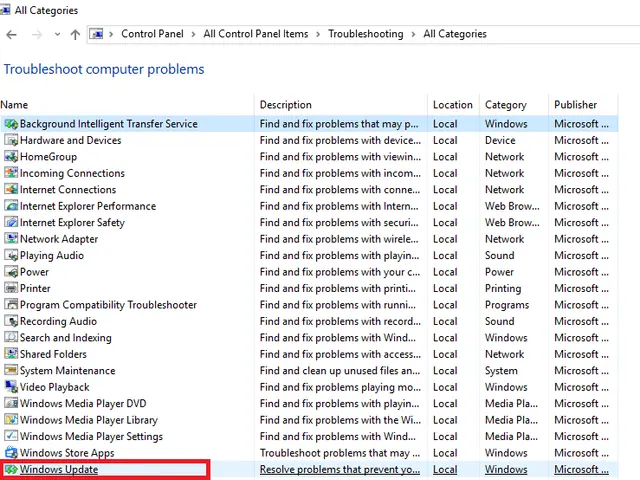
How to Run the Windows Update Troubleshooter in Windows 10
Run Microsoft's Windows Update troubleshooter on Windows 10 and follow the supported recovery sequence after it finishes.