Repair the Master Boot Record in Windows 8 (Legacy BIOS/MBR Only, Historical)
Use Windows Recovery and Bootrec to repair master boot code on a Windows 8 installation that actually uses legacy BIOS/MBR booting.
Historical support note: This article applies only to Windows 8 systems using legacy BIOS/MBR booting. Many Windows 8 PCs use UEFI/GPT instead, where an MBR repair is not the correct fix.
A damaged boot configuration can stop Windows from starting, but not every Windows 8 boot failure is an MBR problem.
Start with Startup Repair
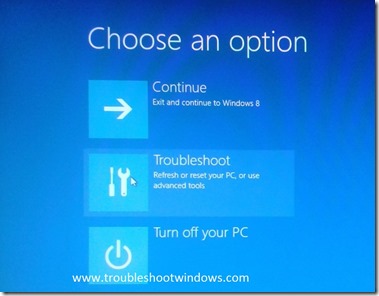
Boot into the Windows Recovery Environment and choose:
Troubleshoot > Advanced options > Startup Repair
This is the safer first step for a general startup failure.
Use BOOTREC /FIXMBR only on an MBR-based installation
If you have confirmed that the system disk uses legacy BIOS/MBR booting and the master boot code is damaged:
- Open Command Prompt from Windows Recovery.
- Run:
bootrec /fixmbr- Restart and test.
Microsoft documents that /FIXMBR writes master boot code. It does not rebuild the partition table, and it will not repair every kind of startup failure.
What about UEFI/GPT systems?
Do not use /FIXMBR as a generic fix for a UEFI/GPT installation. UEFI systems boot through an EFI System Partition and BCD/boot files rather than relying on legacy MBR boot code in the same way.
Use Startup Repair or an EFI/BCD-specific recovery procedure after confirming the disk layout.
Official references
- Microsoft: Windows startup issues troubleshooting / BOOTREC: https://learn.microsoft.com/en-us/troubleshoot/windows-client/performance/windows-boot-issues-troubleshooting
- Microsoft Windows lifecycle status: https://support.microsoft.com/en-us/windows/deployment/updates-lifecycle/what-does-it-mean-if-windows-isn-t-supported
Related posts
Browse all articles →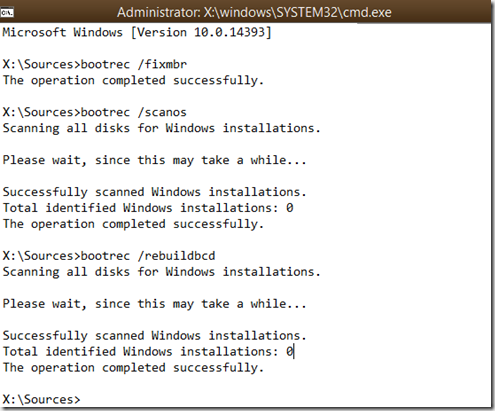
How to Rebuild the BCD in Windows 10 or Windows 8.1
Repair Boot Configuration Data from Windows Recovery Environment, using Startup Repair first and Bootrec or BCDBoot only when needed.

Use DISM to Repair the Windows 8 or 8.1 Component Store (Historical)
Check and repair Windows 8/8.1 component-store corruption with DISM, then run System File Checker to repair protected system files.
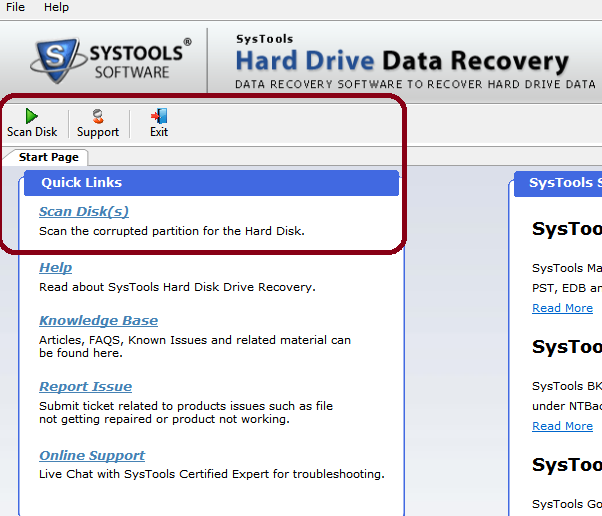
SysTools Hard Drive Data Recovery for Windows — 2014 Review (Historical)
An edited archive of a 2014 hands-on review of SysTools Hard Drive Data Recovery, with current product context separated from the original test results.