HDMI 2.2 and Ultra96 Cables: What You Need for 4K 240Hz, 8K, and New Monitors
Understand HDMI 2.2 bandwidth, Ultra96 cable certification, monitor limits, and which cable actually makes sense for your setup.
- 5 min read
- 10 steps
View article illustration
HDMI has reached another awkward stage: two cables can look identical, both work with a television, and only one may reliably support the newest high-resolution, high-refresh-rate modes. HDMI 2.2 raises maximum link bandwidth, while Ultra96 HDMI Cable certification gives buyers a way to identify cables tested for the new standard.
The important question is not whether the newest cable is theoretically fastest. It is whether your source, display, chosen resolution, refresh rate, and cable all support the signal you intend to use.
1. What changed with HDMI 2.2?
The HDMI Licensing Administrator says the HDMI 2.2 specification introduces the Ultra96 cable class supporting bandwidth up to 96 Gbps. By comparison, the Ultra High Speed HDMI cable class associated with HDMI 2.1 supports up to 48 Gbps.
That extra bandwidth targets demanding formats such as uncompressed 8K at 60 Hz with full chroma or 4K at 240 Hz with full chroma at high bit depth. It is not a promise that every HDMI 2.2-branded product supports every possible mode. Displays and graphics hardware still have capability limits.
2. Version numbers alone are a poor shopping guide
A retailer may describe a cable as “HDMI 2.2 compatible” without making clear whether it has passed certification. The connector shape has not changed, so appearance cannot prove the cable's bandwidth capability.
For the newest link speed, look for Ultra96 HDMI Cable labeling and its official certification mark. HDMI says each model and length must undergo testing, and compliant packaging carries a certification label that can be checked by scanning its QR code.
Buying by an official tested cable category is more useful than buying by marketing phrases such as “16K gold-plated premium gaming cable.”
3. Know the difference between Ultra96 and Ultra High Speed
Ultra High Speed HDMI cable certification remains a valid choice for many 4K televisions, consoles, and monitors. Its 48 Gbps class covers the requirements of a large number of current real-world setups.
Ultra96 is a different, higher-bandwidth category. It makes sense when the source and display are explicitly designed for modes that need the newer capability, or when purchasing high-end infrastructure with a clear future plan.
Do not throw away a working certified 48 Gbps cable because HDMI 2.2 exists. A cable upgrade cannot improve a picture that is already being delivered correctly at your desired mode.
4. Check the source's actual output
Look at the graphics card, console, laptop, dock, or media player's specifications. A monitor that accepts HDMI 2.2 bandwidth will still run at the source's maximum supported output capability.
A new cable does not give an older console a new HDMI controller. Equally, a powerful GPU may support a high refresh rate through DisplayPort but a lower mode through its particular HDMI port. Consult the actual port specification for both ends.
5. Resolution is only part of the bandwidth story
Signal requirements depend on resolution, refresh rate, color depth, chroma format, and whether compression is used. HDR may increase bit depth. Full 4:4:4 chroma retains more color detail for computer text than subsampled alternatives in some workflows.
Two product listings that both promise “4K” might mean very different configurations: one could be 4K at 60 Hz, another 4K at 240 Hz with demanding color settings. If the monitor flickers only at a high mode, temporarily lower refresh rate or bit depth to determine whether the problem is bandwidth-related.
6. Troubleshoot a blank screen logically
Start with a known-working mode such as 1080p or 4K 60 Hz, depending on hardware. Confirm the monitor has selected the correct input. Then enable the target resolution and refresh rate in the operating system's display settings.
If the screen blanks, returns, or shows sparkles at the higher setting, test a shorter certified cable connected directly between source and display. Remove adapters, splitters, and docks until the basic path works. Firmware updates for the display or source may also resolve handshake problems.
A cable that works perfectly at a lower bandwidth can still fail at a demanding higher mode. That does not necessarily mean the cable is damaged; it may simply be the wrong performance class.
7. Every device in the chain matters
An AV receiver, capture device, HDMI switch, extension adapter, or docking station between the source and display becomes part of the signal path. If one link lacks the required bandwidth or features, the whole connection will fall back or fail.
Before paying for Ultra96 cabling through a media cabinet, confirm the receiver and display actually support the signal. It may be necessary to connect a gaming PC directly to the monitor or use a different route for audio if intermediate hardware is the bottleneck.
8. Beware false cable certifications
HDMI's official programme uses scannable labels designed to verify the manufacturer, model, length, and certification. If a listing has only an unverified “96Gbps” text claim, treat it as marketing rather than evidence.
Check that the certification result matches the product you purchased. Labels are not decoration: they help distinguish tested cable designs from counterfeits and unsupported claims.
9. Is an expensive cable automatically better?
No. For a digital video link, the important question is whether the cable reliably meets the required specification over its actual length. Elaborate packaging and expensive connector plating are not substitutes for the right tested bandwidth.
Very long runs introduce additional engineering constraints. Some installations require active or optical cables, and those can have directionality and compatibility requirements. Do not assume every passive two-metre cable specification extends unchanged to a fifteen-metre wall run.
10. What to buy for a normal 4K TV
Check the TV's maximum refresh rate and the source's HDMI support. If both are working well with a certified Ultra High Speed HDMI cable, there is no practical need to move to Ultra96 simply to watch ordinary streaming video.
For a new 4K 240 Hz gaming monitor or a specialist high-resolution workstation, Ultra96 becomes relevant when both source and display explicitly support the new mode. For a multi-device AV setup, match the entire chain rather than choosing the newest label in isolation.
The best HDMI cable is not the one with the biggest version number. It is the one with verifiable certification and enough bandwidth for the exact signal you intend to send.
Official references
HDMI Licensing Administrator — Ultra96 and Ultra High Speed cablesOfficial documentation checked 9 October 2026Related posts
Browse all articles →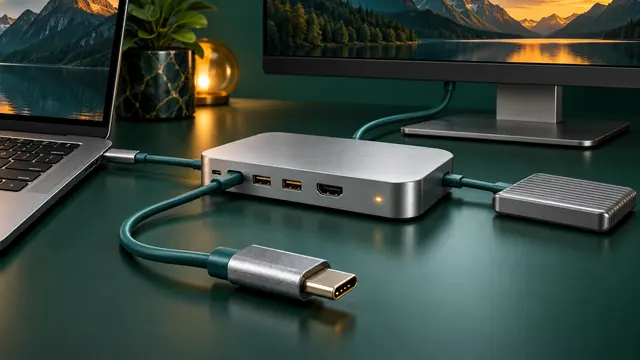
USB-C Dock Not Working? Fix No Display, No Charging, Ethernet, and USB Problems
Troubleshoot USB-C docks by separating power, data, display, cable, host-port, firmware, and driver problems instead of assuming every USB-C port has the same capabilities.
Why Your USB-C Laptop Charger or Power Bank Charges Slowly—or Not at All
Understand USB Power Delivery, charger wattage, cable ratings, multi-port power sharing, dock passthrough, battery limits, and why a USB-C plug alone does not guarantee laptop charging.
Bluetooth Auracast Explained: How to Share Audio and Why Your Earbuds May Not Find a Broadcast
Auracast makes one Bluetooth audio broadcast available to multiple compatible listeners. Learn which devices and roles are required and why setup can fail.