Windows Live Mail on Windows 8 for POP Accounts (Historical)
A historical Windows 8 guide explaining why users installed Windows Live Mail for POP support; Windows Essentials 2012 is now unsupported and unavailable from Microsoft.

This article is retained as a historical Windows 8 guide. It originally explained how to install Windows Live Mail from Windows Essentials when the built-in Windows 8 Mail app did not meet a user’s POP-mail needs.
That installation path is no longer current.
What the original 2013 guide did
At the time, Microsoft offered the Windows Essentials suite as an official download. A Windows 8 user could run its installer, choose which programs to install, select Windows Live Mail, and then configure a POP3 email account in the desktop application.
That was useful for mail providers that offered POP access but did not support the account configuration expected by the original Windows 8 Mail app.
Windows Essentials is no longer available
Microsoft ended support for Windows Essentials 2012 on January 10, 2017 and no longer provides it for download. The suite included Windows Live Mail, Movie Maker, Photo Gallery, Writer, Family Safety, and other applications.
Microsoft specifically warns that websites offering old Windows Essentials components are not providing sanctioned Microsoft downloads. Do not download Windows Live Mail from random third-party archives simply to follow the old steps in this article.
What to do instead
For an actively used email account, choose a currently supported mail application that supports the protocols required by your provider. Where available, prefer the provider’s current IMAP or Exchange-style configuration over POP because it generally keeps server and device state synchronized more completely.
If Windows Live Mail is already installed on an old Windows 8 PC, it may still open, but neither the application nor the operating system receives normal Microsoft support. Back up important local mail before migrating.
Official references
- Microsoft, Support for Windows Essentials apps: https://support.microsoft.com/en-us/windows/apps/support-for-windows-essentials-apps
- Microsoft Windows lifecycle status: https://support.microsoft.com/en-us/windows/deployment/updates-lifecycle/what-does-it-mean-if-windows-isn-t-supported
Related posts
Browse all articles →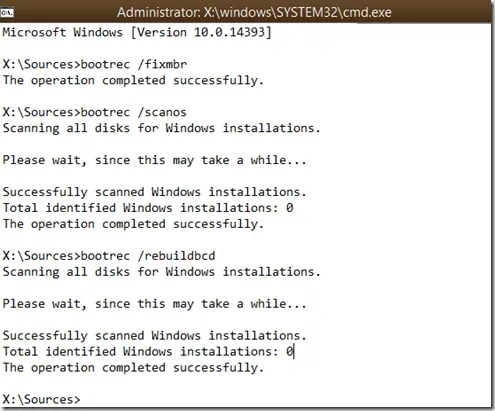
How to Rebuild the BCD in Windows 10 or Windows 8.1
Repair Boot Configuration Data from Windows Recovery Environment, using Startup Repair first and Bootrec or BCDBoot only when needed.

Use DISM to Repair the Windows 8 or 8.1 Component Store (Historical)
Check and repair Windows 8/8.1 component-store corruption with DISM, then run System File Checker to repair protected system files.
Ultimate Windows Tweaker 3 for Windows 8/8.1 — Historical Review
A historical review of Ultimate Windows Tweaker 3 for Windows 8 and 8.1, with the original feature set separated from newer UWT releases.