Fix CLOCK_WATCHDOG_TIMEOUT (0x101) in Windows 10, 8.1, or 8 — Legacy Guide
Troubleshoot the CLOCK_WATCHDOG_TIMEOUT 0x101 blue-screen error by checking CPU stability, firmware, chipset drivers, recent hardware changes, and crash dumps.
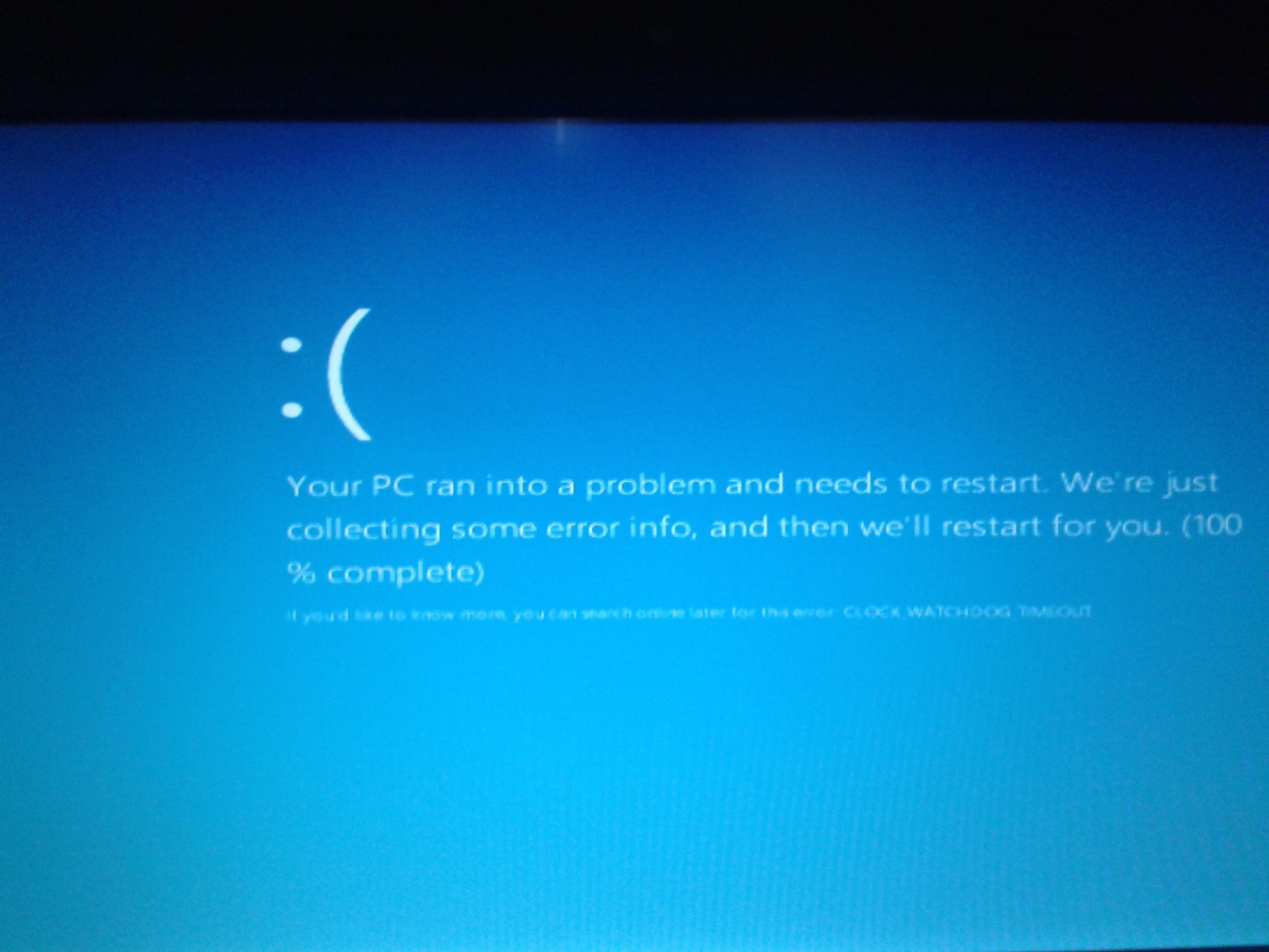
Support note: This article originated with Windows 8 and was later expanded to Windows 10. Windows 8/8.1 are unsupported, and regular Windows 10 support ended on October 14, 2025 (eligible devices may receive Extended Security Updates if enrolled).
CLOCK_WATCHDOG_TIMEOUT is bug check 0x00000101. Microsoft defines it as a condition where an expected clock interrupt on a secondary processor was not received in time. In practical terms, a processor core stopped making expected forward progress.
This is not primarily a disk/AHCI error. The original article’s SSD secure-erase, BCD-rebuild, and SATA-mode changes are therefore removed.
1. Return the CPU and firmware to known-stable settings
If the system is overclocked, undervolted, or using aggressive memory/CPU tuning, load stable/default firmware settings and test again. Instability that appears only under a custom CPU configuration is a strong signal.
Do not change SATA controller mode (for example RAID/IDE to AHCI) as a generic fix. Changing storage mode on an installed Windows system can make it unbootable.
2. Install relevant Windows, chipset, and firmware updates
Use the PC or motherboard manufacturer’s support page for:
- BIOS/UEFI firmware;
- chipset/CPU platform drivers;
- firmware updates specific to the system.
Follow the manufacturer’s firmware instructions exactly and keep the PC on reliable power during an update.
3. Undo recent low-level changes
If the crashes began after a BIOS change, CPU/RAM upgrade, driver update, or new low-level software, reverse that change where practical and test again.
4. Test hardware stability
Run the PC manufacturer’s hardware diagnostics, especially CPU and memory tests. On a desktop, reseat recently installed CPU/RAM hardware only if you are comfortable doing so and the system is powered off and unplugged.
5. Analyze the crash dump
A memory dump can identify the processor state and code path active when the watchdog fired. Microsoft’s debugger documentation for 0x101 is intended for advanced analysis and lists commands such as !analyze, stack backtraces, and processor-state inspection.
Official references
- Microsoft: Bug Check 0x101 CLOCK_WATCHDOG_TIMEOUT: https://learn.microsoft.com/en-us/windows-hardware/drivers/debugger/bug-check-0x101---clock-watchdog-timeout
- Microsoft: Windows 10 end of regular support and ESU options: https://support.microsoft.com/en-us/windows/deployment/updates-lifecycle/windows-10-support-has-ended-on-october-14-2025
- Microsoft Windows lifecycle status: https://support.microsoft.com/en-us/windows/deployment/updates-lifecycle/what-does-it-mean-if-windows-isn-t-supported
Related posts
Browse all articles →
Fix: Windows Recovery Environment (WinRE) Won't Open in Windows 10
Troubleshoot Windows 10 when Advanced startup or Windows Recovery Environment will not open, using supported WinRE checks and recovery media.
Fix Windows Boot Error 0xc0000225 in Windows 10 or 8.1
Troubleshoot boot error 0xc0000225 with Startup Repair first, then repair Boot Configuration Data only when needed.
Fix Frequent 'Not Responding' Messages in Windows 7 and Vista — Historical Guide
Historical Windows 7/Vista troubleshooting for applications that frequently stop responding, with resource, disk, memory, driver, and system-file checks.