EMCO MSI Package Builder for Silent Application Deployment — Historical Review
A revised archive of a 2014 look at EMCO MSI Package Builder, with current product context and clearer explanation of MSI repackaging and unattended deployment.
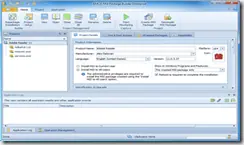
This article originally covered EMCO MSI Package Builder in 2014. The product still exists, but its versions, editions, interface, and packaging capabilities have changed significantly since the original review. Treat the screenshots and feature descriptions here as historical unless they are explicitly identified as current.
What the tool was designed to solve
Software administrators often need to deploy the same application to many Windows PCs without manually running an interactive setup program on every machine.
EMCO MSI Package Builder was designed to repackage or author installations so they could be deployed silently through tools such as Group Policy and other software-distribution systems.
An MSI package is a Windows Installer package. Properly authored MSI packages can support unattended installation, repair, upgrade, and removal workflows that are useful in managed environments.
What the 2014 version offered
The version reviewed at the time focused on two broad packaging approaches:
- Capturing changes made by an interactive installer and turning those changes into an MSI project.
- Building or modifying a package manually through a visual editor.
The resulting package could then be used for silent deployment across managed Windows computers.
Current product context
EMCO’s current documentation shows that MSI Package Builder has expanded beyond the 2014 feature set. The current product can create or repackage MSI, MSIX/AppX, and IntuneWin packages, and EMCO documents compatibility with deployment systems including Group Policy, Intune, and Configuration Manager/SCCM.
Because the current release is substantially newer than the one reviewed here, do not use the old screenshots as a current setup tutorial. Use the vendor’s current manual for packaging and deployment steps.
Packaging caution
Repackaging an application is not the same as merely renaming an EXE to MSI. Test the resulting package in a clean environment and confirm that the software vendor permits the deployment method you intend to use.
Current vendor references
- EMCO MSI Package Builder documentation: https://emcosoftware.com/msi-package-builder/doc
- EMCO silent MSI deployment overview: https://emcosoftware.com/msi-package-builder/msi-remote-silent-install
Related posts
Browse all articles →
Wondershare Video Converter Ultimate — 2013 Review and Giveaway Archive
A historical archive of a 2013 Wondershare Video Converter Ultimate review. The giveaway is over, and the product is now known as Wondershare UniConverter.

Guide to Dead and Stuck Pixels on an LCD Monitor
How to distinguish dead, stuck, and transient pixels, test a display safely, and decide when warranty or panel replacement is appropriate.

How to Troubleshoot Thermal Shutdowns on a Laptop or Desktop PC
Practical, safety-focused steps for diagnosing overheating and thermal shutdowns, including airflow, fans, dust, firmware telemetry, and professional service.