How to Troubleshoot Thermal Shutdowns on a Laptop or Desktop PC
Practical, safety-focused steps for diagnosing overheating and thermal shutdowns, including airflow, fans, dust, firmware telemetry, and professional service.

A PC that powers off under load may be protecting itself from excessive temperature, but a sudden shutdown can also come from the power supply, battery, motherboard, or another hardware fault. Confirm the pattern before assuming heat is the only cause.
1. Check when the shutdown occurs
Note whether it happens during gaming, rendering, charging, or another heavy workload. If the system also shuts down while cool and idle, investigate power hardware as well as temperature.
2. Improve airflow without opening the device
- Place laptops on a hard, flat surface.
- Keep intake and exhaust vents clear.
- Remove visible dust from external vents with the system powered off.
- Do not use a laptop on bedding or soft upholstery that blocks airflow.
3. Confirm that fans are operating
Listen for fan activity and use the PC manufacturer’s diagnostics or firmware hardware-monitoring screen where available. A failed or grinding fan should be serviced.
4. Clean internal cooling only if you are qualified
Opening a laptop can damage clips, cables, batteries, or warranty seals depending on the model. If you are not familiar with the hardware, use an authorized or reputable service center.
For desktops, power off, unplug the PC, discharge static safely, and avoid spinning fans at excessive speed with compressed air.
5. Treat thermal paste and cooler replacement as repair work
Replacing thermal compound or a heatsink is not a routine first step. Incorrect mounting pressure or paste application can make temperatures worse. Follow the processor/cooler or PC manufacturer’s procedure.
6. Stop using a system that repeatedly overheats
Repeated thermal shutdowns can signal a failed fan, blocked heatsink, damaged heat pipe, dried interface material, or electrical fault. Back up important data and arrange hardware service rather than repeatedly stress-testing the machine.
Related posts
Browse all articles →
Guide to Dead and Stuck Pixels on an LCD Monitor
How to distinguish dead, stuck, and transient pixels, test a display safely, and decide when warranty or panel replacement is appropriate.
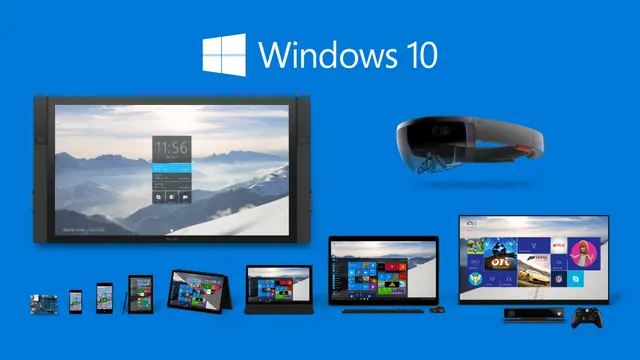
Windows 10 Continuum: The PC and Tablet Transition Microsoft Envisioned in 2015
A historical look at Windows 10 Continuum, Microsoft's 2015 approach to adapting the interface between keyboard-and-mouse and touch-first device modes.
EMCO MSI Package Builder for Silent Application Deployment — Historical Review
A revised archive of a 2014 look at EMCO MSI Package Builder, with current product context and clearer explanation of MSI repackaging and unattended deployment.