Fix 'Server Execution Failed' in Windows Media Player (XP–8, Historical)
Historical Windows Media Player troubleshooting for the 'Server execution failed' error on Windows XP through Windows 8, with unsafe privilege changes removed.
Historical support note: Windows XP, Vista, 7, and 8 are out of support. The exact Windows Media Player components and optional-feature controls differ by release.
If Windows Media Player reports “Server execution failed”, begin with low-risk checks before changing services or registry permissions.
1. End a stuck Windows Media Player process
Open Task Manager and check whether a Windows Media Player process remains running after the player window has closed. End the stuck player process, then try opening the file again.
2. Restart Windows and test a known-good file
A restart clears stale media-player processes and COM state. Test with more than one media file so you do not mistake a damaged file or codec problem for an application-launch problem.
3. Test a new Windows user profile
If Windows Media Player works in another user account, the problem may be limited to the original user’s profile or per-user media settings.
4. Repair system files
On Windows versions that provide System File Checker, open an elevated Command Prompt and run:
sfc /scannow5. Re-enable Windows Media Player only when the Windows edition exposes it as an optional feature
On Windows 7/8 editions where Windows Media Player appears under Turn Windows features on or off, disabling the feature, restarting, and re-enabling it can rebuild the component configuration.
Removed unsafe advice
The original article recommended this command:
net localgroup "Administrators" "NT Authority\Local Service" /addThat grants the LOCAL SERVICE identity membership in the local Administrators group. It is an excessive privilege change and is not an appropriate Windows Media Player repair. It has been removed.
The old regsvr32 jscript.dll / vbscript.dll steps and forcing the Windows Media Player Network Sharing Service to Automatic are also no longer presented as universal fixes; the network-sharing service is for media sharing and is not required simply to play a local file.
Official references
- Microsoft Windows Media Player troubleshooting: https://support.microsoft.com/en-us/windows/apps/windowsmediaplayer/troubleshoot-windows-media-player-errors
- Microsoft Windows lifecycle status: https://support.microsoft.com/en-us/windows/deployment/updates-lifecycle/what-does-it-mean-if-windows-isn-t-supported
Related posts
Browse all articles →
Fix DRIVER_POWER_STATE_FAILURE (0x9F) in Windows 8 or 7 (Historical)
Historical troubleshooting for DRIVER_POWER_STATE_FAILURE (0x9F) on Windows 8/7, focusing on the device, driver, firmware, or power transition responsible for the crash.
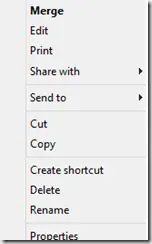
Fix a Missing 'Open With' Menu in Windows 7 or 8 (Historical)
Historical troubleshooting for a missing Open With context-menu entry in Windows 7/8, using file-association, system-repair, and policy checks without unknown registry patches.
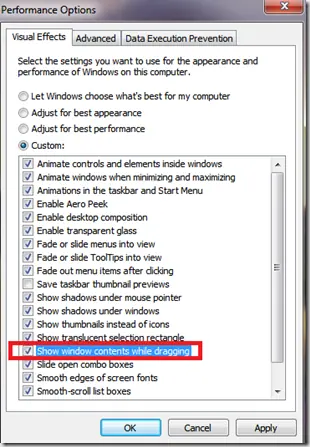
Fix Windows Turning Transparent While Dragging or Resizing (Windows XP–8, Historical)
Historical troubleshooting for Windows XP through Windows 8 when window contents disappear or appear transparent while dragging or resizing.