Block USB Storage Access in Windows 8/7/Vista/XP (Historical)
Historical guidance for restricting USB mass-storage access without disabling unrelated USB keyboards, mice, printers, and other peripherals.
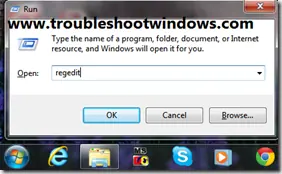
Historical support note: This article covers legacy Windows releases. On managed PCs, use supported device/removable-storage policy rather than changing USB driver services by hand.
There is an important distinction between blocking USB storage and turning off USB entirely. If your goal is to stop flash drives or external storage while keeping USB keyboards, mice, printers, and other peripherals working, do not disable USB hubs or controller services.
Preferred approach: removable-storage policy
Professional/Enterprise editions of Windows provide Group Policy controls for removable storage.
Open the Local Group Policy Editor and look under:
Computer Configuration > Administrative Templates > System > Removable Storage Access
Policies in this area can deny read, write, or all access to removable storage classes. In an organization, configure these centrally rather than editing each PC.
Microsoft also provides device-installation restriction policies for administrators who need to block particular removable devices or device classes.
About the old USBSTOR registry method
The original article changed the Start value for the USBSTOR service. That was a common legacy workaround for USB mass-storage drivers, but it is less transparent and easier to misapply than policy controls.
More importantly, the original article then suggested changing Start values for USB hubs, printers, video devices, and other USB classes. Do not do that. Disabling low-level USB services can break keyboards, mice, storage controllers, printers, or other required hardware.
If you must administer an old standalone PC
Document the existing configuration first and make sure you have a recovery path before changing device policies. On Windows XP-era systems, where newer policy controls may not be available in the same form, use the least invasive method available and test it on non-critical hardware.
Official references
- Microsoft: Manage device installation with Group Policy: https://learn.microsoft.com/en-us/windows/client-management/client-tools/manage-device-installation-with-group-policy
- Microsoft: Removable Storage policy reference: https://learn.microsoft.com/en-us/windows/client-management/mdm/policy-csp-admx-removablestorage
- Microsoft Windows lifecycle status: https://support.microsoft.com/en-us/windows/deployment/updates-lifecycle/what-does-it-mean-if-windows-isn-t-supported
Related posts
Browse all articles →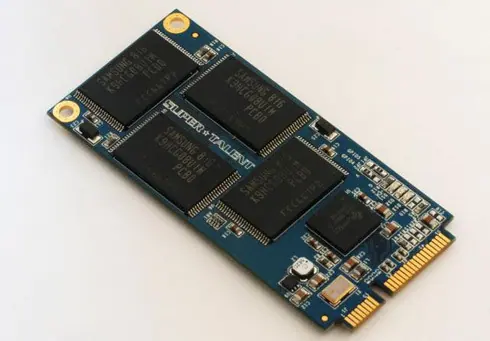
SSD Performance Tips for Windows 8, 7, Vista, and XP — Historical Guide
Updated historical SSD guidance explaining AHCI, TRIM, Windows drive optimization, indexing, write caching, and what not to disable on modern SSD-aware Windows releases.
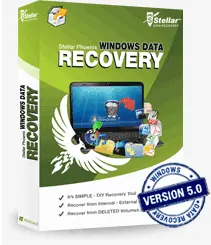
Stellar Phoenix Windows Data Recovery — 2013 Review (Historical)
Archived 2013 hands-on review of Stellar Phoenix Windows Data Recovery after recovering files from a 2 TB drive that appeared as RAW in Windows.

Fix 'USB Device Not Recognized' in Windows 7, Vista, and XP — Historical Guide
Historical USB troubleshooting for Windows 7, Vista, and XP, covering ports, hubs, power, drivers, chipset support, and device isolation.