How to Configure Windows 10 Update Notifications with Group Policy
Use the Configure Automatic Updates policy in supported Windows 10 editions to notify before downloading updates instead of silently downloading them.
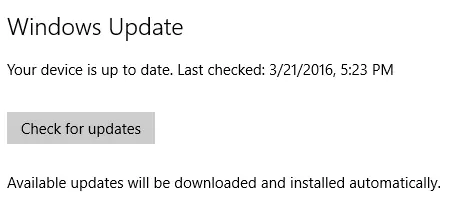
Windows 10 did not provide the same simple consumer choice between fully automatic and fully manual updates that older Windows versions offered. On editions that include Local Group Policy, you can change how Windows Update notifies users before downloading and installing updates.
Windows 10 support note: Windows 10 reached end of normal support on October 14, 2025. Changing this policy does not extend support or make new security updates available to an unsupported device.
Before you begin
This method is intended for Windows 10 editions that include the Local Group Policy Editor, such as Pro, Enterprise, and Education. Windows 10 Home does not normally include gpedit.msc.
Configure update notifications
-
Press Windows + R.
-
Type
gpedit.mscand press Enter. -
Go to:
Computer Configuration > Administrative Templates > Windows Components > Windows Update
-
Open Configure Automatic Updates.
-
Select Enabled.
-
In Configure automatic updating, choose:
2 - Notify for download and auto install
-
Select Apply > OK.
With this policy, Windows notifies the user when applicable updates are ready to download. The user can then open Windows Update to download and install them.
Policy wording and subfolders vary somewhat across Windows 10 releases, so do not assume every older build shows an identical list of options.
Important security context
Delaying updates can leave a system exposed to known vulnerabilities. On Windows 10 after end of support, only devices covered by an applicable servicing path such as Extended Security Updates will continue receiving the security updates included in that program.
Official references
- Configure Automatic Updates policy: https://learn.microsoft.com/en-us/windows-server/administration/windows-server-update-services/deploy/4-configure-group-policy-settings-for-automatic-updates
- Windows Update client policies: https://learn.microsoft.com/en-us/windows/deployment/update/waas-wufb-group-policy
Related posts
Browse all articles →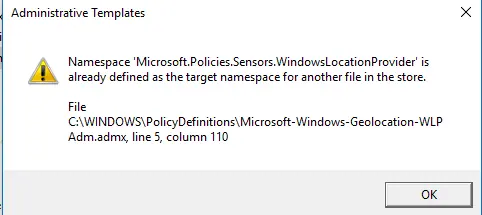
Fix the Group Policy Namespace Error in Early Windows 10 Builds (Historical)
Historical fix for the Microsoft.Policies.Sensors.WindowsLocationProvider duplicate namespace error seen when early Windows 10 builds opened Group Policy Editor.

How to Batch Rename Files in Windows with PowerRename and PowerShell
Use Microsoft PowerToys PowerRename or PowerShell to preview and apply advanced bulk file-renaming rules in Windows 10 and 11.
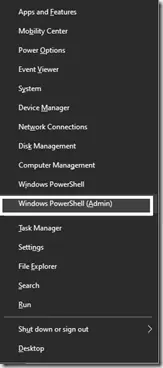
How to Replace PowerShell with Command Prompt in the Windows 10 Win+X Menu (Historical)
Historical Windows 10 instructions for switching the Win+X menu from Windows PowerShell to Command Prompt. This setting does not describe the current Windows 11 menu.