Fix UNEXPECTED_KERNEL_MODE_TRAP (0x7F) in Windows 8 (Historical)
Historical Windows 8 troubleshooting for bug check 0x7F, emphasizing hardware/memory faults, overclocking, and driver diagnosis rather than one-size-fits-all repair steps.
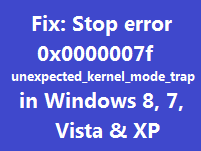
Historical support note: Windows 8 is out of support. The bug-check definition remains useful for understanding old crash dumps.
UNEXPECTED_KERNEL_MODE_TRAP has bug check value 0x0000007F. Microsoft explains that the processor generated a trap the kernel could not handle. Faulty or mismatched hardware—especially memory—can cause it, and a double fault can also result from driver/kernel stack problems.
1. Remove overclocking and return firmware settings to known-good values
If the CPU, memory, or bus has been overclocked, return it to manufacturer-supported settings and retest. Do not blindly load firmware defaults if the machine depends on custom storage-controller settings; record the current configuration first.
2. Test memory and hardware
Run the system manufacturer’s diagnostics and a memory test. If multiple RAM modules are installed and diagnostics point to memory, test according to the hardware manufacturer’s procedure.
Also check cooling, power, and recently changed hardware.
3. Update or roll back relevant drivers
If the crashes began after a driver update or new device, reverse that change first. Otherwise install the appropriate chipset, storage, graphics, and other device drivers from the PC/hardware manufacturer.
4. Review the crash dump when the problem persists
The first parameter of bug check 0x7F identifies the trap number. Microsoft recommends starting dump analysis with !analyze -v and examining the stack when diagnosing the underlying driver or kernel failure.
This is more reliable than assuming every 0x7F is caused by RAM.
Official references
- Microsoft Bug Check 0x7F: https://learn.microsoft.com/en-us/windows-hardware/drivers/debugger/bug-check-0x7f--unexpected-kernel-mode-trap
- Microsoft Windows lifecycle status: https://support.microsoft.com/en-us/windows/deployment/updates-lifecycle/what-does-it-mean-if-windows-isn-t-supported
Related posts
Browse all articles →
Fix: Windows Recovery Environment (WinRE) Won't Open in Windows 10
Troubleshoot Windows 10 when Advanced startup or Windows Recovery Environment will not open, using supported WinRE checks and recovery media.
Fix Windows Boot Error 0xc0000225 in Windows 10 or 8.1
Troubleshoot boot error 0xc0000225 with Startup Repair first, then repair Boot Configuration Data only when needed.
Fix Windows Update Error 0x80080008 in Windows 8 or 8.1 (Historical)
Historical Windows 8/8.1 troubleshooting for update error 0x80080008, with unsupported-OS context and safer repair steps.