Troubleshooting
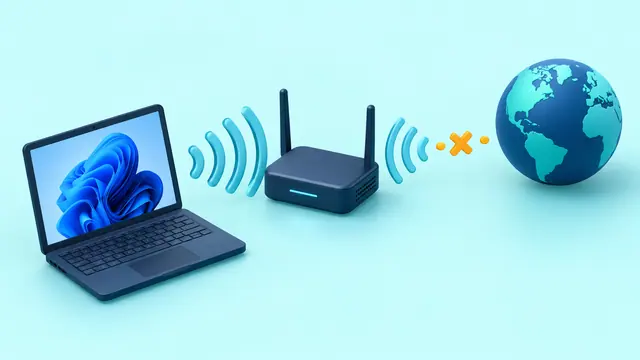
How to Fix Wi-Fi Connected but No Internet in Windows 11
Windows 11 connected to Wi-Fi but says No Internet? Check the router, IP configuration, DNS, adapter driver, and network stack in the right order.
252 articles · Page 5
Windows 11 connected to Wi-Fi but says No Internet? Check the router, IP configuration, DNS, adapter driver, and network stack in the right order.
Extend laptop battery life in Windows 11 using Energy Saver, Energy Recommendations, power mode, display settings, and refresh-rate controls.
Create a reusable Gem in Google Gemini so repeated tasks follow the same role, rules, context, and output style without rewriting the prompt every time.
Before switching Android phones, learn what Google backup includes, what depends on app developers, how Photos and messages differ, and how to verify data before wiping the old phone.
Use File History in Windows 11 to keep versioned copies of Documents, Pictures, Desktop, and other library files on an external drive or network location.
Speed up Windows 11 startup by identifying high-impact startup apps, removing unnecessary launch tasks, checking updates, and measuring before making changes.
Prepare for a lost or broken phone by setting up backup codes, alternate factors, recovery contacts, spare security keys, and safe recovery paths before you need them.
Windows 11 installs recommended drivers automatically, but some newer or alternative drivers appear under Optional updates. Here is when to use them.
Back up selected folders and Windows preferences, verify that important files are retrievable, and understand what still needs a separate copy before resetting or replacing a PC.
Auracast makes one Bluetooth audio broadcast available to multiple compatible listeners. Learn which devices and roles are required and why setup can fail.
Learn which memory cards actually work with Nintendo Switch 2, where save data lives, and how to avoid losing games during storage upgrades.
Check your Chromebook Auto Update Expiration date, understand extended updates and Android app trade-offs, and plan a safe migration.
Find what is filling your Google Account and recover Gmail storage without deleting mail, Drive files, or photos you still need.
Unlock the power of Google Gemini—supercharge your daily productivity, learning, and creative projects with the world’s most advanced AI from Google.
As artificial intelligence (AI) transitions from a peripheral feature to the nucleus of modern software, AI‑native applications are emerging. These applications are built around AI…
Use AI the right way—research faster, write better, and publish content that actually ranks.
Transform scattered notes, docs, and insights into a living, searchable AI wiki—without code. Here’s how to build your own AI-powered knowledge base in 2025.
Discover the best AI tools, smart integrations, and real-world workflows to work faster, automate more, and stay ahead this year.
Discover practical AI-powered hacks to save time, get organized, and achieve more—at work and at home.
Move over traditional search. Perplexity AI is changing how we find, summarize, and act on information — instantly.