Troubleshooting
How to Repair Windows 11 Without Losing Apps or Files Using Windows Update
Use the built-in Windows Update recovery option to reinstall your current Windows 11 version while keeping apps, files, and settings.
241 articles · Page 3
Use the built-in Windows Update recovery option to reinstall your current Windows 11 version while keeping apps, files, and settings.
If the Wi-Fi toggle disappears from Windows 11, check the hardware switch, adapter state, WLAN service, driver, and network reset in a safe order.
Qi2 25W brings faster magnetic wireless charging to more devices, but phone support, certification, power adapters, and thermal limits still determine real charging speed.
Fix Time Machine backups that fail, stay on Preparing, report a full or read-only disk, disconnect from a network destination, or run far slower than expected.
Fix a Windows 11 app without immediately reinstalling it. Learn the difference between Repair and Reset, when app data is removed, and what to do for traditional desktop programs.
Windows 11 CPU usage stuck near 100%? Use Task Manager, updates, process identification, malware scanning, and clean boot testing before changing services.
If a Mac can open files on an external SSD but cannot save to it, check whether the drive is NTFS and choose the right format for Mac-only or cross-platform use.
No speakers or headphones listed in Windows 11? Check the selected output, Device Manager, audio driver, enhancements, and Windows audio troubleshooting.
Stuck at the BitLocker recovery screen? Learn where to find the 48-digit recovery key and what to do if you cannot locate it.
ChatGPT Projects keep related chats, files, instructions, and sources together so ongoing work does not have to restart from zero every time.
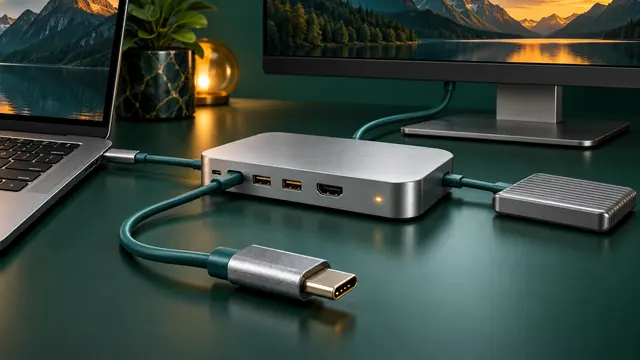
Troubleshoot USB-C docks by separating power, data, display, cable, host-port, firmware, and driver problems instead of assuming every USB-C port has the same capabilities.
Turn on Windows 11 Clipboard History, pin frequently used text, clear sensitive entries, and sync clipboard text across devices when appropriate.
Dynamic Refresh Rate can lower refresh rate during lighter work and increase it when supported workloads need smoother motion, helping balance battery life and responsiveness.
Troubleshoot a blank Mac external display, limited resolution, low refresh rate, dock problems, closed-lid issues, and model-specific display limits.
Windows 11 waking by itself, refusing to sleep, or draining battery overnight? Use powercfg and SleepStudy to identify the real cause before changing settings.
Windows 11 can store passkeys and use Windows Hello for passwordless sign-in. Learn how to create, use, manage, and remove them.
Matter 1.6 focuses on easier setup and better multi-ecosystem smart homes. Here is what has changed, what Matter now supports, and what still depends on manufacturers.
Understand USB Power Delivery, charger wattage, cable ratings, multi-port power sharing, dock passthrough, battery limits, and why a USB-C plug alone does not guarantee laptop charging.
Printer offline, not found, stuck in queue, or refusing to print? Use the Windows 11 printer troubleshooter and work through connection, spooler, driver, and reinstall steps safely.
Generate a Windows 11 battery report with powercfg and compare design capacity, full charge capacity, usage history, and estimated battery life.