Troubleshooting
Quick Share Between Android and Windows Not Working? Complete Setup and Troubleshooting Guide
Fix Quick Share between Android and Windows when devices cannot see each other, notifications do not appear, or transfers are slow or fail.
241 articles · Page 4
Fix Quick Share between Android and Windows when devices cannot see each other, notifications do not appear, or transfers are slow or fail.
Windows 11 connected to Wi-Fi but says No Internet? Check the router, IP configuration, DNS, adapter driver, and network stack in the right order.
Extend laptop battery life in Windows 11 using Energy Saver, Energy Recommendations, power mode, display settings, and refresh-rate controls.
Create a reusable Gem in Google Gemini so repeated tasks follow the same role, rules, context, and output style without rewriting the prompt every time.
Before switching Android phones, learn what Google backup includes, what depends on app developers, how Photos and messages differ, and how to verify data before wiping the old phone.
Use File History in Windows 11 to keep versioned copies of Documents, Pictures, Desktop, and other library files on an external drive or network location.
Speed up Windows 11 startup by identifying high-impact startup apps, removing unnecessary launch tasks, checking updates, and measuring before making changes.
Prepare for a lost or broken phone by setting up backup codes, alternate factors, recovery contacts, spare security keys, and safe recovery paths before you need them.
Windows 11 installs recommended drivers automatically, but some newer or alternative drivers appear under Optional updates. Here is when to use them.
Use Windows Backup to save important files, settings, app preferences, and Wi-Fi information and restore them when setting up a Windows 11 PC.
Unlock the power of Google Gemini—supercharge your daily productivity, learning, and creative projects with the world’s most advanced AI from Google.
As artificial intelligence (AI) transitions from a peripheral feature to the nucleus of modern software, AI‑native applications are emerging. These applications are built around AI…
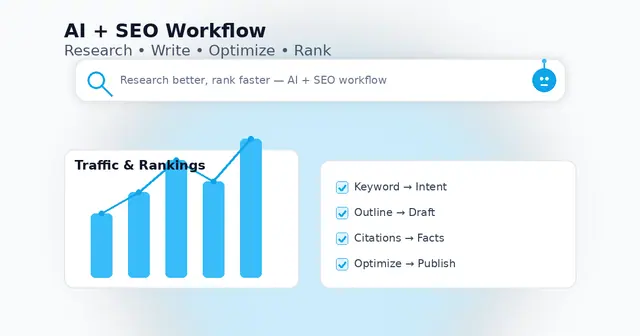
Use AI the right way—research faster, write better, and publish content that actually ranks.
Transform scattered notes, docs, and insights into a living, searchable AI wiki—without code. Here’s how to build your own AI-powered knowledge base in 2025.
Discover the best AI tools, smart integrations, and real-world workflows to work faster, automate more, and stay ahead this year.
Discover practical AI-powered hacks to save time, get organized, and achieve more—at work and at home.
Move over traditional search. Perplexity AI is changing how we find, summarize, and act on information — instantly.
Mastering ChatGPT isn’t about asking questions — it’s about asking the right questions. Here’s how to get smarter results every time.
Explore the future of productivity, creativity, and coding with these must-know AI tools.
There can be several reasons your system has stopped producing sound. Here are a few common checkpoints: