Preserve data and collect phase-specific Windows 7/Vista Setup logs for errors 0x80FE0000 or 0x80FF0000 before changing media, controllers or partitions.
A historical Windows 8 guide explaining why users installed Windows Live Mail for POP support; Windows Essentials 2012 is now unsupported and unavailable from Microsoft.
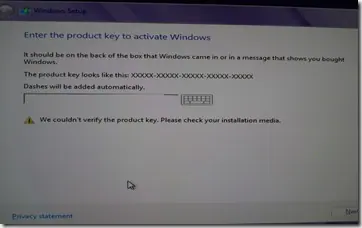
Historical troubleshooting for Windows 8/8.1 Setup when a valid-looking product key cannot be verified, focusing on edition/key mismatch and installation-media problems.
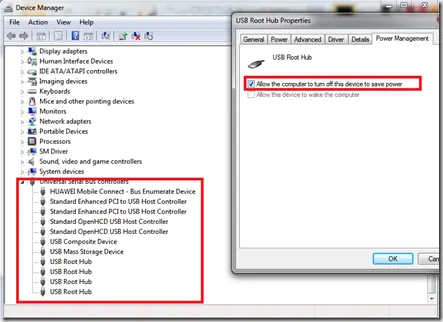
Historical troubleshooting for Windows 7/Vista systems that crash with 0x9F or 0xFE around sleep or USB activity, with the two bug checks correctly separated.
Historical troubleshooting for DRIVER_POWER_STATE_FAILURE (0x9F) on Windows 8/7, focusing on the device, driver, firmware, or power transition responsible for the crash.
Historical Windows XP boot-recovery guidance for systems that restart around the logo screen, with destructive MBR/boot-sector commands moved out of the default workflow.
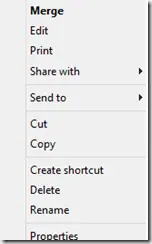
Historical troubleshooting for a missing Open With context-menu entry in Windows 7/8, using file-association, system-repair, and policy checks without unknown registry patches.
A historical archive of the preparation advice surrounding Microsoft's Windows 8.1 Preview release in June 2013; the preview is no longer an installable supported product.
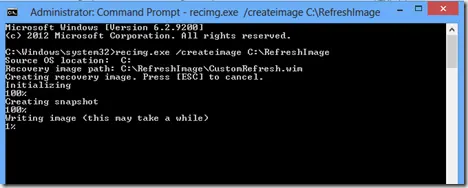
Historical Windows 8 guide to creating and registering a custom Refresh image with Recimg.exe; this recovery model does not apply to modern Windows releases.
Historical Windows 8 guidance for INTERNAL_POWER_ERROR (0xA0) on resume from hibernate, including Microsoft's documented cumulative-update fix for one specific scenario.
Historical troubleshooting for PAGE_FAULT_IN_NONPAGED_AREA (0x50), focusing on faulty drivers/services, antivirus software, NTFS corruption, and failing memory or hardware.
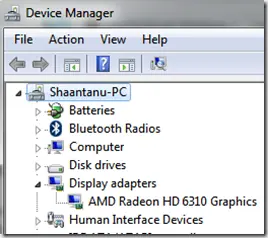
Historical troubleshooting for Windows Media Player full-screen freezes on Windows Vista, prioritizing graphics drivers, media-specific testing, and hardware diagnostics.
Historical Windows 7 recovery for Microsoft's documented Bootcat.cache-related 0x6B startup failure, while noting that 0x6B can also have other disk/boot causes.
Historical Windows Media Player troubleshooting for the 'Server execution failed' error on Windows XP through Windows 8, with unsafe privilege changes removed.
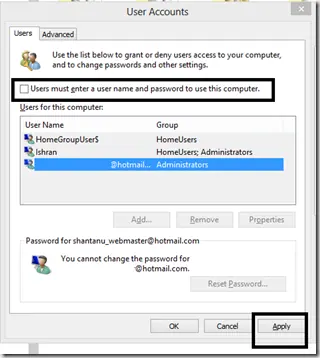
Historical Windows 8 guide to automatic sign-in, with a clear explanation that autologon stores reusable credentials and reduces physical-access security.