Troubleshooting
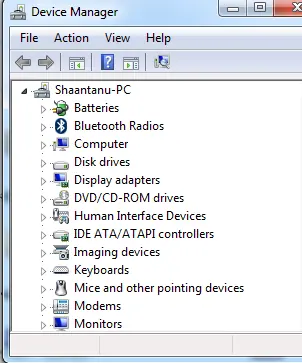
Fix Hardware Devices Not Detected in Windows 8, 7, Vista, or XP — Historical Guide
Historical device-detection troubleshooting for older Windows versions using connection checks, Device Manager, OEM drivers, and hardware diagnostics.
39 articles · Page 2
Historical device-detection troubleshooting for older Windows versions using connection checks, Device Manager, OEM drivers, and hardware diagnostics.
Historical troubleshooting for laptop brightness sliders and function keys that stop working on older Windows versions.
Historical external-drive troubleshooting for older Windows versions, emphasizing safe cable, power, Device Manager, and Disk Management checks without risking existing data.
Historical troubleshooting for Device Manager opening with no devices listed, using service checks, system-file repair, System Restore, and profile testing without broad registry ACL changes.
Historical explanation of partition alignment, why modern Windows setup normally aligns partitions automatically, and why destructive DiskPart realignment should not be routine maintenance.
Historical guide to diagnosing NTFS ownership and permission errors after reinstalling or moving drives, with encryption and file-system cautions.
Historical troubleshooting guide for the 0x0000007B INACCESSIBLE_BOOT_DEVICE blue-screen error in Windows 7, Vista, and XP.
Historical battery-life troubleshooting for Windows 8, 7, Vista, and XP laptops, focusing on power settings, brightness, background activity, devices, and battery health.
Historical Windows 7 and Vista clean-boot procedure for isolating background service and startup-program conflicts.
Historical troubleshooting for repeated Windows Explorer crashes in Windows 7, Vista, and XP, using system-file checks, clean boot, restore, and driver/app isolation.
Historical Windows 7 and Vista recovery guide for a damaged user profile that triggers “The User Profile Service failed the logon.”
Historical Windows 7 and Vista recovery guide for the “BOOTMGR is missing” startup error, using boot-order checks, Startup Repair, System Restore, and BCD repair when appropriate.
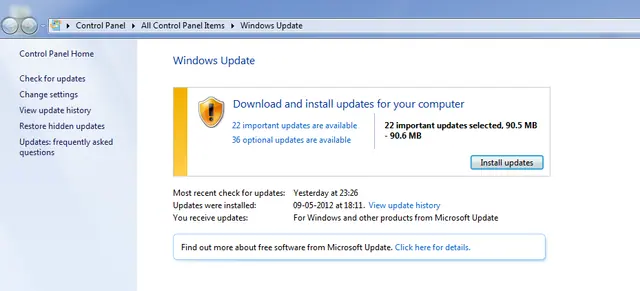
Historical troubleshooting for Windows Update error 0x8000FFFF in Windows 7 and Vista, with safer cache and system-integrity checks.
Historical performance troubleshooting for Windows 7, Vista, and XP PCs, focusing on startup load, storage, RAM, malware, thermals, and power settings.
Historical Windows 7, Vista, and XP guide to diagnosing file and folder copy, move, rename, delete, permission, and Explorer problems.
Historical troubleshooting for flickering, scrambled graphics, or lines across a PC display, separating driver/app faults from cables, monitors, GPUs, and laptop display hardware.
Historical guide to clearing frozen print jobs in Windows 7, Vista, and XP by canceling the queue, restarting the spooler, and clearing spool files when necessary.
Historical troubleshooting for bug check 0x7A KERNEL_DATA_INPAGE_ERROR, focusing on storage I/O errors, bad sectors, cabling, RAM, and diagnostics.
Historical Windows printer troubleshooting covering power, cables, network connectivity, queues, spooler resets, drivers, and hardware isolation.