Troubleshooting
Fix 'Server Execution Failed' in Windows Media Player (XP–8, Historical)
Historical Windows Media Player troubleshooting for the 'Server execution failed' error on Windows XP through Windows 8, with unsafe privilege changes removed.
91 articles · Page 3
Historical Windows Media Player troubleshooting for the 'Server execution failed' error on Windows XP through Windows 8, with unsafe privilege changes removed.
Historical Windows 8 setup troubleshooting focused on compatibility, reliable media, free space, disconnected peripherals, setup logs, and storage health.
Historical Windows 7 troubleshooting for activation error 0x80070005 when licensing access is blocked by permissions or Plug and Play policy settings.
Historical troubleshooting for a Recycle Bin icon that remains stuck in its full or empty state in Windows Vista or Windows XP.
Archived 2013 hands-on review of Stellar Phoenix Windows Data Recovery after recovering files from a 2 TB drive that appeared as RAW in Windows.
Historical troubleshooting for Windows 7/Vista when Explorer repeatedly forgets saved folder-view settings.
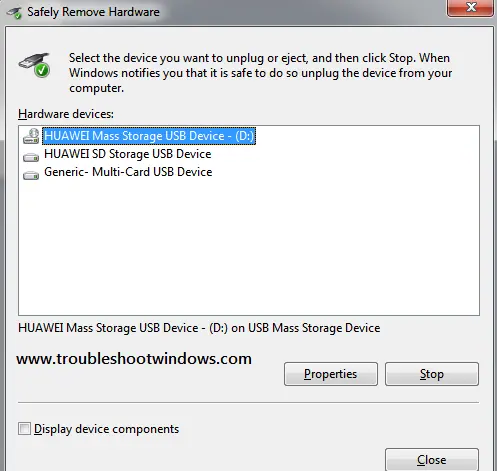
Historical Windows 7/Vista troubleshooting for the Safely Remove Hardware icon or dialog when removable devices are connected.
Historical troubleshooting for Internet Explorer video playback problems, updated to remove obsolete Flash, Silverlight, and Java installation advice.
Historical Windows 7 troubleshooting for the Microsoft-documented Interactive Logon Process Initialization Failure, including the automatic-logon trigger.
Historical Windows 8 startup-recovery guidance for a blank screen or failure to boot after a crash, power loss, shutdown, or hibernation problem.
Historical Windows 8 troubleshooting for a firewall that cannot be enabled, including required services, third-party security conflicts, system-file repair, and firewall reset.
Use Windows Recovery and Bootrec to repair master boot code on a Windows 8 installation that actually uses legacy BIOS/MBR booting.
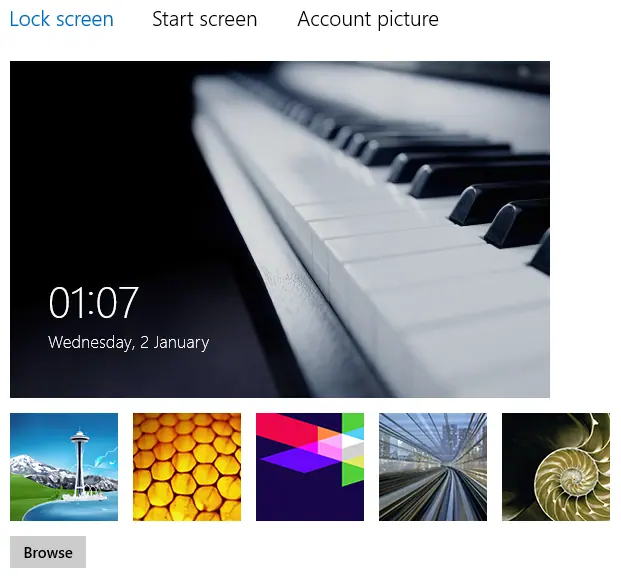
Historical Windows 8 troubleshooting when lock-screen personalization is blocked or the selected image does not appear.
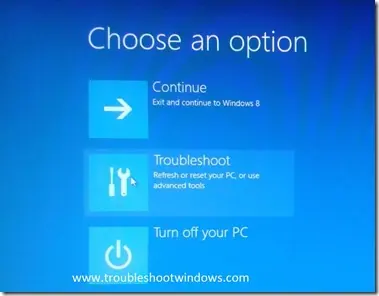
Historical Windows 8 guide to opening Windows Recovery Environment and choosing repair, restore, refresh, or command-line tools.
Historical troubleshooting for Windows 8 Microsoft-account sign-in problems, covering account verification, network, keyboard layout, local accounts, and system-file checks.
Historical Windows 8 troubleshooting for a PC that powers off or restarts while idle, with power-plan, event-log, thermal, and hardware checks.
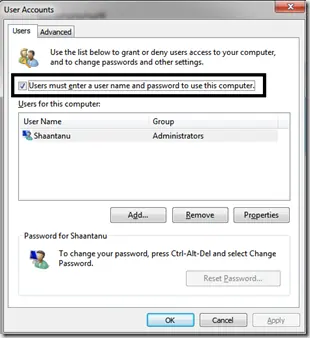
Historical troubleshooting for password-protected file sharing settings that will not stay disabled in Windows 8, Windows 7, or Windows Vista.
Historical Windows 8 troubleshooting for Windows Update failures, using restart, built-in troubleshooting, DISM, SFC, and clean-boot checks without unsafe blanket driver or antivirus changes.
Historical Windows 8 Hyper-V boot troubleshooting focused on hardware virtualization requirements, recovery, and safely disabling the hypervisor when needed.
Historical troubleshooting for laptop touchpad cursor jumps, focusing on palm rejection, OEM drivers, sensitivity, charger interference, and hardware isolation.