Troubleshooting
How to Create Windows 8 Recovery or Repair Media (USB and CD/DVD) — Historical
Historical Windows 8 guide distinguishing a USB recovery drive from a separate CD/DVD system repair disc.
91 articles · Page 4
Historical Windows 8 guide distinguishing a USB recovery drive from a separate CD/DVD system repair disc.
Historical Windows 8 guide to the Refresh your PC recovery feature and what it keeps, removes, and reinstalls.
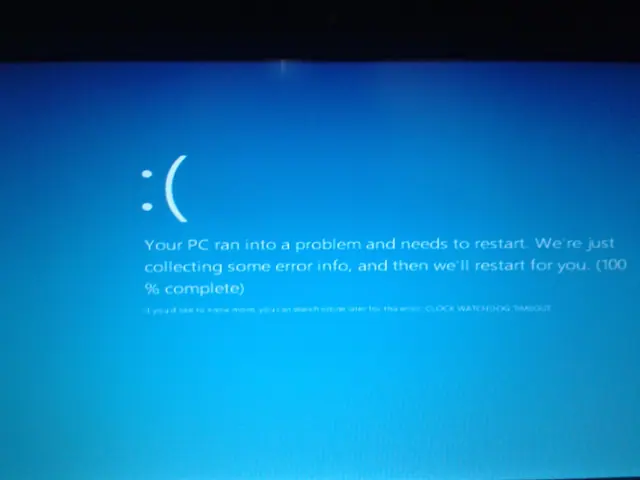
Troubleshoot the CLOCK_WATCHDOG_TIMEOUT 0x101 blue-screen error by checking CPU stability, firmware, chipset drivers, recent hardware changes, and crash dumps.
Historical Windows 8 troubleshooting for Store/Metro apps that display a splash screen and immediately fail to open.
Historical Windows 7/Vista troubleshooting for applications that frequently stop responding, with resource, disk, memory, driver, and system-file checks.
Historical Wi-Fi troubleshooting for Windows 8/7/Vista/XP when the wireless adapter is off, missing, disabled, or unable to see nearby networks.
Historical Windows 7 recovery guide for the UNMOUNTABLE_BOOT_VOLUME 0xED blue-screen error, using file-system checks, Startup Repair, and hardware diagnostics.
Historical troubleshooting for antivirus products that downloaded definitions but still reported an outdated status on older Windows releases.
Historical Windows 7 guide to restoring image thumbnails in File Explorer by checking folder settings, view mode, cache, and file associations.
Historical troubleshooting for drag-and-drop failures in Windows Explorer and applications on Windows 7, Vista, and XP.
Historical Windows 7 troubleshooting for Alt+Tab switcher problems, including keyboard checks, Explorer restart, visual settings, clean boot, and system-file repair.
Historical device-detection troubleshooting for older Windows versions using connection checks, Device Manager, OEM drivers, and hardware diagnostics.
Historical Windows 8 Mail-app troubleshooting for Outlook.com account synchronization, with current status of the retired Mail app and service changes.
Historical troubleshooting for laptop brightness sliders and function keys that stop working on older Windows versions.
Historical external-drive troubleshooting for older Windows versions, emphasizing safe cable, power, Device Manager, and Disk Management checks without risking existing data.
Practical, safety-focused steps for diagnosing overheating and thermal shutdowns, including airflow, fans, dust, firmware telemetry, and professional service.
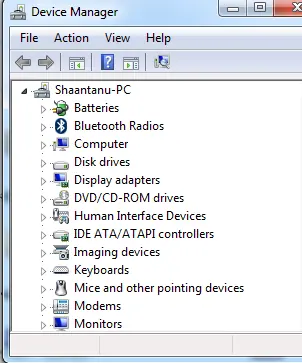
Historical troubleshooting for Device Manager opening with no devices listed, using service checks, system-file repair, System Restore, and profile testing without broad registry ACL changes.
Historical guide to diagnosing NTFS ownership and permission errors after reinstalling or moving drives, with encryption and file-system cautions.
Historical troubleshooting guide for the 0x0000007B INACCESSIBLE_BOOT_DEVICE blue-screen error in Windows 7, Vista, and XP.
Historical Windows 7 guide to diagnosing bug check 0x7F UNEXPECTED_KERNEL_MODE_TRAP, including cases noticed after Service Pack 1.