Windows guides
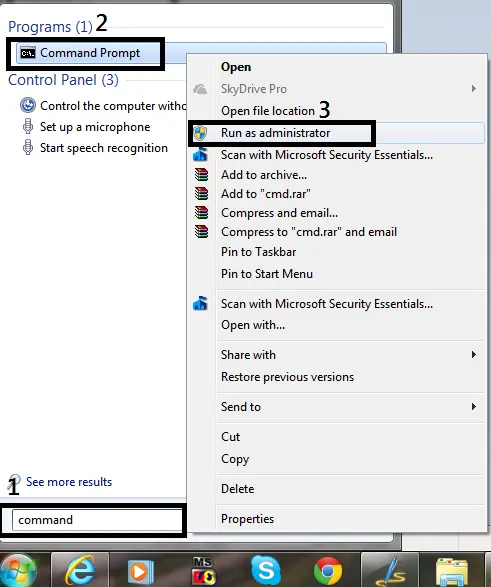
How to Open Command Prompt as Administrator in Windows 8, 7, and Vista (Historical)
Historical guide to opening an elevated Command Prompt in Windows 8, Windows 7, and Windows Vista.
181 articles · Page 7
Historical guide to opening an elevated Command Prompt in Windows 8, Windows 7, and Windows Vista.
Historical Windows 8 guide to opening Windows Recovery Environment and choosing repair, restore, refresh, or command-line tools.
Historical troubleshooting for Windows 8 Microsoft-account sign-in problems, covering account verification, network, keyboard layout, local accounts, and system-file checks.
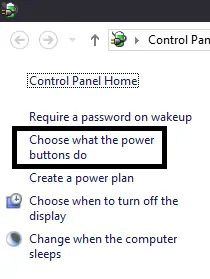
Historical Windows 8 troubleshooting for a PC that powers off or restarts while idle, with power-plan, event-log, thermal, and hardware checks.
Historical video guide to Windows 8 Refresh your PC, including what it preserves and what must be reinstalled afterward.
Historical Windows 8 video tip showing how to launch apps and find programs quickly from the Start screen.
Historical troubleshooting for password-protected file sharing settings that will not stay disabled in Windows 8, Windows 7, or Windows Vista.
Historical Windows 8 troubleshooting for Windows Update failures, using restart, built-in troubleshooting, DISM, SFC, and clean-boot checks without unsafe blanket driver or antivirus changes.
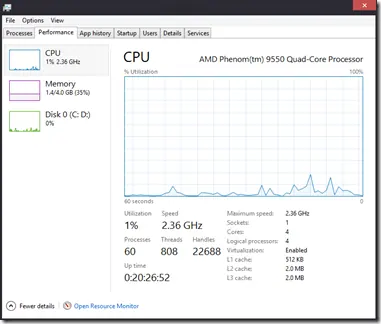
A tour of the redesigned Windows 8 Task Manager, including Processes, Performance, App history, Startup, Users, Details, and Services.
Historical Windows 8 Hyper-V boot troubleshooting focused on hardware virtualization requirements, recovery, and safely disabling the hypervisor when needed.
Historical guide to reducing automatic media execution in Windows 7, Vista, and XP using AutoPlay policy rather than error-prone registry edits.
A concise reference to Windows 8 keyboard shortcuts for Charms, Search, app switching, snapping, settings, and the power-user menu.
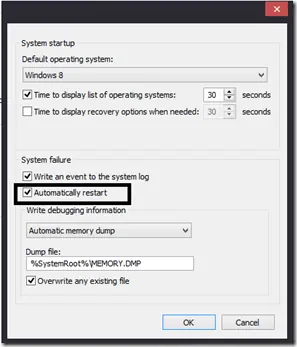
Historical Windows guide to keeping a blue-screen stop message visible by disabling automatic restart after a system failure.
Historical troubleshooting for laptop touchpad cursor jumps, focusing on palm rejection, OEM drivers, sensitivity, charger interference, and hardware isolation.
Historical Windows 8 guide distinguishing a USB recovery drive from a separate CD/DVD system repair disc.
Historical Windows 8 guide to the Refresh your PC recovery feature and what it keeps, removes, and reinstalls.
Historical Windows 8 Mail app guide to adding another provider account through Settings > Accounts > Add an account.
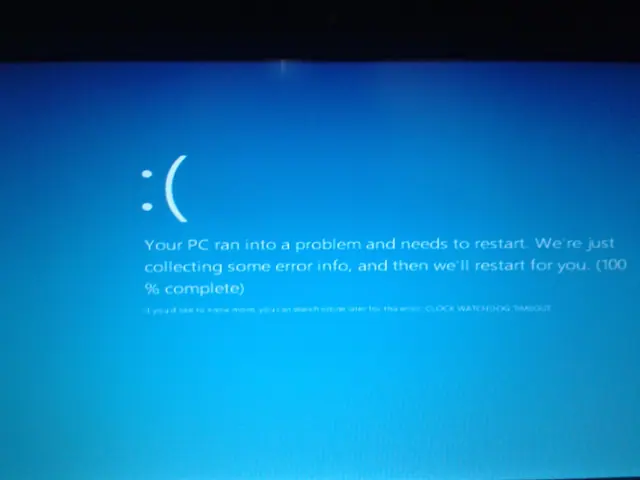
Troubleshoot the CLOCK_WATCHDOG_TIMEOUT 0x101 blue-screen error by checking CPU stability, firmware, chipset drivers, recent hardware changes, and crash dumps.
Historical Windows 8 troubleshooting for Store/Metro apps that display a splash screen and immediately fail to open.
Original October 26, 2012 launch-day commentary on Windows 8, lightly edited for clarity and preserved as a historical opinion piece.